
Float & Critical
Multiple Float Paths Rank Chains; They Are Not Longest Path or TF Critical
Calculate multiple float paths ranks chains (Float Path / Order); not Longest Path; not TF critical

What a planner means
Calculate multiple float paths (Tools → Schedule → Options → Advanced) numbers sequences of activities after you calculate the schedule. Oracle: “multiple critical float paths (sequences of activities) that affect the project schedule,” so you can see “the most critical path in the project schedule, along with sub-critical paths that affect the completion of the most critical path.”
This is not total float. It is not Longest Path. It is not the Critical checkbox. See float.md and Driving Relationships vs Longest Path vs “critical”.
Oracle: “Calculating multiple critical float paths does not affect how you define critical activities.” Critical is still Total float less than or equal to a threshold, or Longest Path, on the General tab. Float paths are calculated after the project has been scheduled. “Critical activities that are not part of a critical float path remain tagged as critical.”
Two methods (Oracle):
- Total Float — “identify critical paths based on the total float of activity relationships.” The module first finds “which relationship has the most critical total float,” then walks predecessor and successor activities that have “the most critical relationship total float, among all possible paths, until an activity is reached that does not have any relationships.” That chain is the most critical path. EPPM: backward pass on “the most critical Relationship Total Float,” then a forward pass on “the most critical Relationship Successor Total Float.”
- Free Float — “define critical float paths based on longest path.” “The most critical path will be identical to the critical path that is derived when you choose to define critical activities as Longest Path.” After that path is identified, the module calculates the remaining sub-critical paths. Longest Path itself is still the General-tab option (early finish = latest project early finish, then driving relationships back to start).
Display multiple float paths ending with activity: you can choose any activity; typically a milestone or other major activity. By choosing an activity you can rank paths that affect the whole schedule, a part of it, or a milestone. If you do not select one, Oracle chooses: Free Float → “the open-ended activity with the most critical Free Float”; Total Float → “the activity with the most critical Relationship Total Float.”
Specify the number of paths to calculate. Example (Oracle): five paths → Float Path 1 on each activity in the most critical float path, 5 on the least. Oracle: enter a low number (10 or less) to optimize performance.
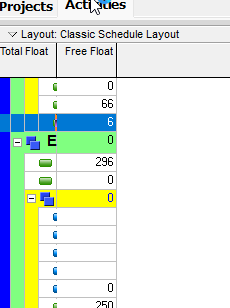
Float Path (Oracle activity field): “The integer representing the critical path this activity is on. Value 1 is the most critical path, and value 2 is the second most critical path.” Group by Float Path after the run.
Float Path Order (Oracle): “The integer representing the order in which this object was found on one of the critical paths.” Also: “the order in which the activities were processed.” Sort by Float Path Order inside a path.
Path 1 is the most critical float path. Oracle does not say that Path 1 sets the Critical flag. Under Free Float only, Oracle says that most-critical path is identical to Longest Path.
Oracle also: calculating multiple float paths with retained logic “requires early and late dates to be visible on all activities, including completed activities.” Scheduling with retained logic always calculates those dates on completed activities, even if this option is off. See Retained Logic vs Progress Override vs Actual Dates.
XER
TASK (Oracle labels):
| Column | Oracle label |
|---|---|
float_path | Float Path |
float_path_order | Float Path Order |
Related, not this ranking: TASK.driving_path_flag is labeled Longest Path. See Driving Relationships vs Longest Path vs “critical”.
SCHEDOPTIONS — Oracle lists these fields; the published “column name” is the same string. Oracle did not print UI labels (Calculate multiple float paths / Total Float vs Free Float / ending activity / path count) on the map. Do not invent the mapping or stored tokens.
| Column | As published |
|---|---|
enable_multiple_longest_path_calc | enable_multiple_longest_path_calc |
use_total_float_multiple_longest_paths | use_total_float_multiple_longest_paths |
key_activity_for_multiple_longest_paths | key_activity_for_multiple_longest_paths |
limit_multiple_longest_path_calc | limit_multiple_longest_path_calc |
max_multiple_longest_path | max_multiple_longest_path |
Microsoft Project
Desktop Project has no Calculate multiple float paths option and no Float Path / Float Path Order ranking.
Do not map P6 Float Path 1 to Project Critical. Do not claim MPXJ can write a real MPP.
Don't
- Treat Float Path 1 as the Critical flag, or as TF ≤ threshold critical.
- Treat Float Path 1 as Longest Path except where Oracle says the Free Float method’s most-critical path is identical to Longest Path.
- Treat this option as changing how critical is defined. Critical activities off a numbered path stay tagged critical.
- Map
float_path/float_path_ordertodriving_path_flag(Longest Path). - Invent SCHEDOPTIONS UI labels or Y/N / Total-vs-Free tokens.
- Map Float Path 1 to MSP Critical.
- Claim MPXJ writes a real MPP.
Sources
- Oracle calculate multiple float paths [27 Aug 2026]
- Oracle Advanced tab — Schedule Options [27 Aug 2026]
- Oracle analyzing the schedule using multiple critical… [27 Aug 2026]
- Oracle Advanced Tab of the Schedule dialog [27 Aug 2026]
- Oracle Working with Critical Activities [27 Aug 2026]
- Oracle Float Path / Float Path Order activity fields [27 Aug 2026]
- Oracle XER TASK [27 Aug 2026]
- Oracle XER SCHEDOPTIONS [27 Aug 2026]
- Oracle XER project map PDF [27 Aug 2026]