
Float & Critical
Total vs Free Float
Two numbers, two jobs — they are not the same.
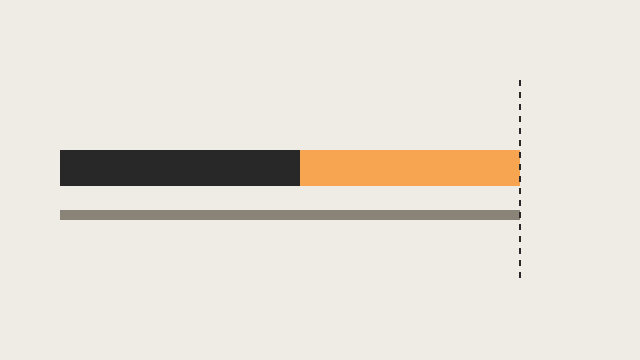
What they measure
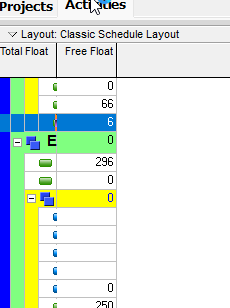
Oracle total float: how long the activity can be delayed before risking a delay to the project finish date. Zero means it cannot delay. Negative means it is already behind — and in a complex schedule, negative TF on some activities might still not delay the project finish.
Oracle free float: how long the activity can be delayed before delaying the start of any successor.
Remaining float is Late Finish − Remaining Finish. It equals total float when remaining finish is the early finish (typically not started).
XER stores hours: total_float_hr_cnt, free_float_hr_cnt. Do not invent a calendar-day formula. Display conversion uses the project’s time-period and calendar settings.
How P6 computes total float
The schedule option Compute Total Float As produces two figures and keeps the tighter one: Start Float, calculated as Late Start minus Early Start, and Finish Float, calculated as Late Finish minus Early Finish. Whichever of the two is smaller is used, since it represents the more critical constraint on the activity. Which finish date that Finish Float is measured against is itself another option — each project's own finish, or the latest finish across all opened projects. A single-project schedule and a multi-project one can therefore report different total float for the identical activity, purely from that setting and not from anything that actually changed in the network.
Critical is a setting
P6 can mark an activity critical two different ways, and they are not the same test. The first is total float less than or equal to a threshold (critical_drtn_hr_cnt), converted to hours regardless of the display unit — zero is a common default, but it is not a law. A schedule can define "critical" as TF ≤ 5 days, and every viewer reading that file has to honor the actual threshold rather than assume zero. The second is Longest Path: the driving activities that determine the project end date, identified independently of any float number at all.
Multiple float paths, an advanced feature, number paths 1, 2, 3… after the schedule run, ranking secondary chains by how much float separates them from the critical path. That numbering is separate from the critical flag itself — an activity can carry a float-path number and still not be marked critical, or the reverse, depending on where the threshold sits.
Worked example
Two activities finish the same week. Activity A has Late Finish − Early Finish = 0 days: it cannot slip without pushing the project finish. Activity B has Late Finish − Early Finish = 12 days, but its very next successor starts in 2 days on the plan. Activity B has 12 days of total float and only 2 days of free float. A superintendent reading only total float would tell the crew on B they have almost two weeks of slack — true for the project finish, false for the very next handoff. That gap between the two numbers is the entire reason both exist.
What they are not
Neither number is SPI. SPI is cost over cost — that lesson is Earned Schedule. Zero total float is one way P6 can mark critical; it is not Longest Path, and an open-ended chain can look critical without driving the project finish. Float is hours of delay on the activity calendar, not a look-ahead window and not a baseline bar.
Float is hours of delay. It is not SPI. SPI is cost over cost. Mixing the two is how a late job gets a “healthy” schedule index — that lesson is Earned Schedule.
Must not
- Treat total float and free float as the same number.
- Hard-code “critical = TF ≤ 0” without reading the project option.
- Invent a calendar-day float formula and call it Oracle.
- Assume total float is measured against the same project's finish without checking the multi-project option.
- Call float a time version of SPI.
- Treat TF ≤ 0 as Longest Path.
- Tell a crew they have total-float days of slack on the next handoff.