
Progress & Earned Value
Store Period Performance Posts This Period, Then Zeros It
Store posts This Period into FINDATES then zeros it; TASKFIN / TRSRCFIN
What a planner means
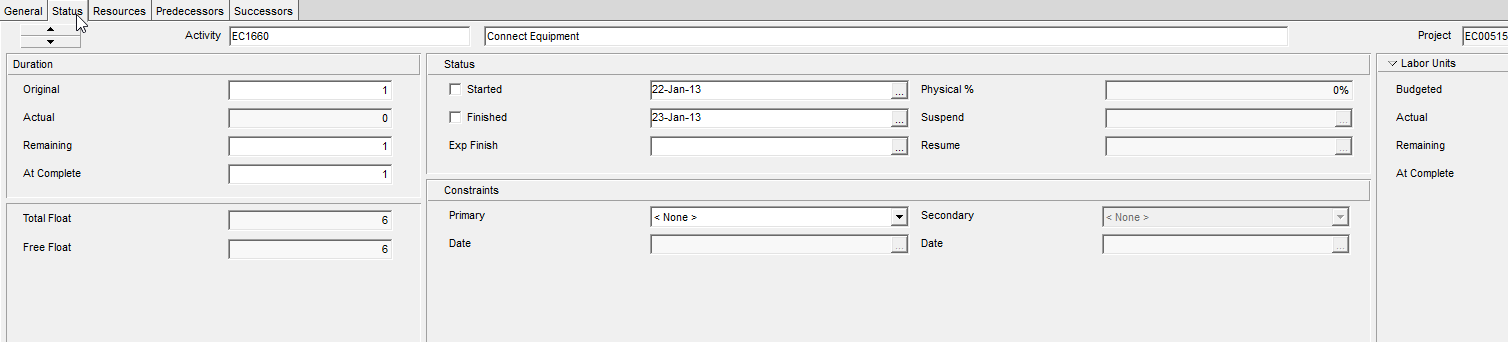
Actual This Period is the increment you are booking in the current update. Actual to Date is the running total. Oracle: if you increase Actual This Period by 50, Actual to Date increases by the same amount (when the two are linked).
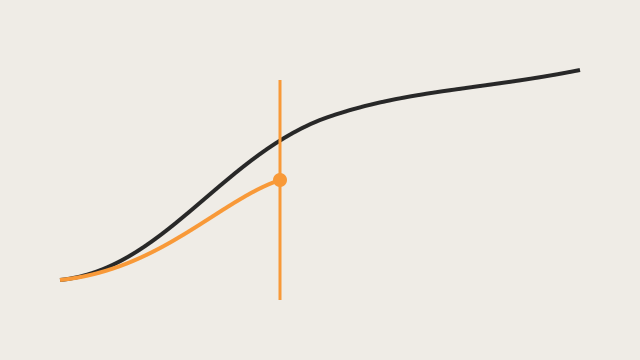
Store Period Performance (Tools > Store Period Performance) writes the current Actual This Period (plus earned value and planned value) into the selected financial period, then sets Actual This Period to zero so the next update starts clean. Resetting This Period does not change Actual to Date.
Oracle: it stores those values for each project regardless of the data date or Actual Start dates. You pick the period; the Data Date does not pick it for you.
You can store the same period more than once; a later store overwrites that period. You do not have to store sequentially (you can skip periods).
Required: the project option Link actual to date and actual this period units and costs must be on. Without it you cannot store or edit past period actuals. The project must have a financial period calendar assigned. Privileges: Store Period Performance and Add/Edit Activities Except Relationships.
After store, you can edit past period columns on the Activity Table, Resource Assignments, and Activity Details Resources tab.
Oracle’s earned-value split (using units as the example): Actual Earned Value Units = This Period Earned Value Units − total Earned Value Units for all stored periods already in the database.
This is not Schedule, not Apply Actuals, and not Progress Spotlight.
XER
TASKFIN (Activity Past Period Actuals)
| Column | Oracle label |
|---|---|
fin_dates_id | Financial Period |
task_id | Activity Name |
proj_id | Project |
act_work_qty / act_work_cost | Actual Labor Units / Cost |
act_equip_qty / act_equip_cost | Actual Nonlabor Units / Cost |
act_mat_cost | Actual Material Cost |
act_expense_cost | Actual Expense Cost |
bcwp | Earned Value Cost |
bcws | Planned Value Cost |
perfm_work_qty | Earned Value Labor Units |
sched_work_qty | Planned Value Labor Units |
TRSRCFIN (Assignment Past Period Actuals)
| Column | Oracle label |
|---|---|
fin_dates_id | Financial Period |
taskrsrc_id | Assignment ID |
task_id | Activity Name |
proj_id | Project |
act_qty | Actual Units |
act_cost | Actual Cost |
No TASKFIN / TRSRCFIN rows means period performance was never stored (or not exported). Do not invent a “this period” table; This Period lives on TASK / TASKRSRC until you store.
Microsoft Project
Timephased Actual Work is a spread on the timescale, not a named period you post into and then zero. Status Date places actual vs remaining. There is no Store Period Performance command and no TASKFIN equivalent in MSPDI.
Don't
- Treat Store Period as a schedule recalculation or as moving the Data Date.
- Treat TASKFIN as remaining units, a resource curve, or live This Period.
- Assume the Data Date selects the period. The user (or job) picks
fin_dates_id. - Collapse TASKFIN + TRSRCFIN into one MSP timephased row and call them the same object.
- Invent This Period column names on TASK you have not cited.
Sources
- Oracle Store Period Performance [27 Aug 2026]
- Oracle Post actual amounts for a period [27 Aug 2026]
- Oracle Link actual to date and actual this period [27 Aug 2026]
- Oracle About Store Period Performance [27 Aug 2026]
- Oracle TASKFIN [27 Aug 2026]
- Oracle TRSRCFIN [27 Aug 2026]
- Microsoft Actual Work [27 Aug 2026]