
Progress & Earned Value
SPI
Classic SPI is cost over cost. Earned Schedule is time. P6 has no Earned Schedule column.
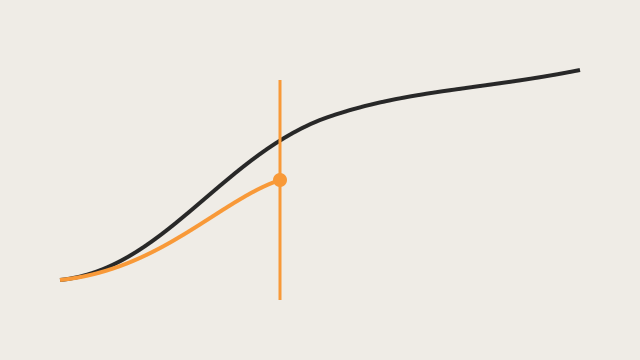
The lie in classic SPI
Oracle SPI is Earned Value ÷ Planned Value. Schedule Variance is Earned Value − Planned Value. Planned Value Cost is the portion of baseline total cost scheduled as of the Data Date. Those are cost over cost. They are not days.
On a late finish, EV and PV both equal BAC. SPI walks to 1.00 and SV walks to $0 even though the job finished late. The index looks healthy because the last dollar of planned cost has been earned — not because the work finished on time. That is the lie this lesson has to kill.
P6 duration-from-SPI columns (Oracle: Original Duration ÷ SPI) use that same classic SPI. They are not Earned Schedule.
What Earned Schedule actually is
Earned Schedule (Lipke) asks a time question: at what point on the performance measurement baseline had we planned to have earned what we have earned now?
Find the time on the PMB (time-phased Planned Value) where PV equals current EV. That time is ES. AT is duration from project start to the status date — Data Date in P6, Status Date in Microsoft Project. Then:
- SV(t) = ES − AT
- SPI(t) = ES / AT
On a late finish SPI(t) stays under 1 and SV(t) stays negative. The time metrics do not recover just because the last dollar has been earned.
Interpolation is one PV period: ES = C + I, where I = (EV − PVC) / (PVC+1 − PVC). Do not interpolate across the whole S-curve.
Optional forecast only: IEAC(t) = PD / SPI(t) (Henderson / Lipke). Forecast from SPI(t), never from classic SPI. Original Duration ÷ SPI is not IEAC(t). Do not invent P-Factor, TSPI, or a health score in this lesson.
20-Mar-26 17:00
SPI is cost/cost; SPI(t) is time/time. Drag the Data Date. After planned finish, SPI recovers to 1.00 while SPI(t) stays late.
SV 0 · SV(t) -15.0
Complete after planned finish: SPI is 1.00 and SV is 0. SPI(t) stays under 1. That is the lie.
Toy behind the slider: four bars, budgeted labor 100 each, PMB 5-Jan-26 to 27-Feb-26, actual finish 20-Mar-26. Same pair the Earned Schedule engine already proved. Not a P6 column.
A handy tool
P6 will not give you SPI(t). A handy way to get Lipke time metrics from the files you already export is SAL Tools Earned Schedule. Drop the current schedule (XER, P6 XML, Microsoft Project XML, or MPP) and a baseline snapshot. After the first run, the Excel workbook the app writes keeps the baseline and you can send that workbook back as Prior Excel instead of re-attaching the baseline file.
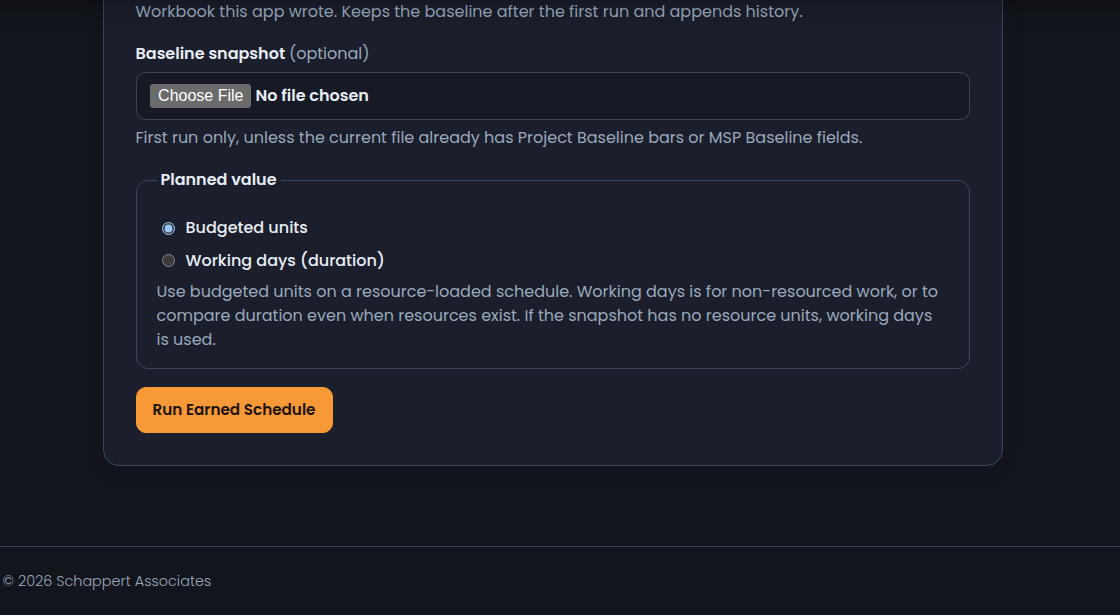
The report puts SPI(t) next to classic SPI, with SV(t) in working days, an IEAC(t) finish, and VAC(t). IEAC(t) is Lipke’s independent estimate at completion in time — PD / SPI(t). VAC(t) is the variance at completion in time — PD − IEAC(t) — signed working days versus the baseline finish (negative is late, same sign as cost VAC). SV(t) is current: ES − AT. It is not a new field named ES-FAC, and it is not Original Duration ÷ SPI.
The S-curve is PV from the baseline PMB (orange), then EV (green) and ES (purple) as lines through ten status dates from project start to this as-of. On a first run those dates are reconstructed from actuals in the current file. After that, Prior Excel stores the real period snapshots. A dashed purple line continues from current ES to BAC at the current SPI(t) — that end is IEAC(t). SPI is still EV/PV. SPI(t) is still ES/AT. The app does not invent a P6 column.

P6 has no Earned Schedule column
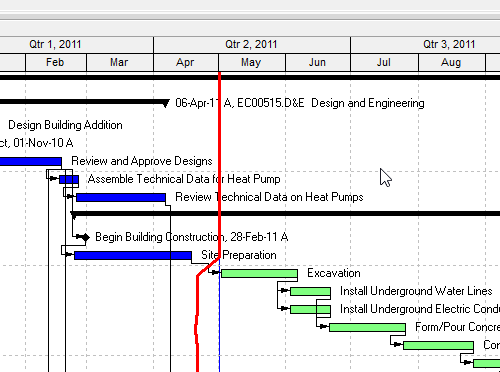
Compute ES from time-phased Planned Value plus Earned Value. Do not invent TASK.es_*. The Gantt picture on this page is the Data Date line, not a fake ES field.
AT is the Data Date, not today, not Planned Start, not Must Finish By. PV comes from the Project Baseline, not Planned Start — Planned Start is a live schedule date. See Data Date and Baseline.
XER has no column labeled Data Date. last_recalc_date is the practical mapping, not Oracle-official. A typical project XER does not carry baseline bars the way P6 XML can, so a viewer cannot “read ES” off XER. WBS is not an activity — do not compute ES by treating a PROJWBS row as a TASK. Float is hours of delay, not SPI.
Microsoft Project
MSP SPI is also EV/PV (BCWP/BCWS). Status Date is the as-of (not Current Date, not Start). BCWS is calculated up to the Status Date. Baseline is fields on the task, not a second project. Same idea as P6 EV, not the same object. Desktop Project has no native ES field.
Must not
- Call SPI a time metric.
- Invent a P6 or MSP Earned Schedule column.
- Use “today” as AT.
- Use Planned Start as the PMB.
- Interpolate I across more than one PV period.
- Teach Original Duration ÷ SPI as Earned Schedule.
- Treat a WBS summary as an activity when computing ES.