
Relationships & Logic
Assign Predecessors
Assign Predecessors is Edit > Assign > Predecessors / Add predecessor relationships; not Assign Successors, Link, or Unlink
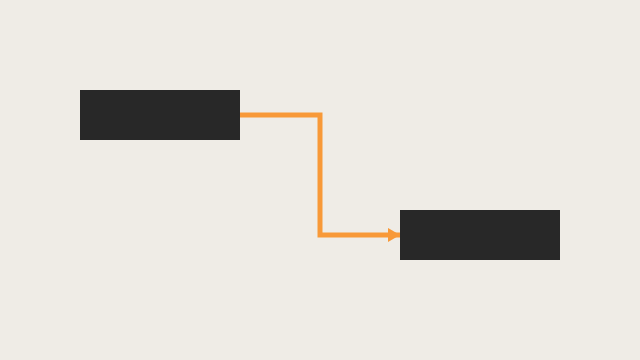

What a planner means
Assign Predecessors is Edit > Assign > Predecessors and Oracle Add predecessor relationships. Oracle does print a menu item named Assign > Predecessors. Oracle does print a numbered how-to titled Add predecessor relationships. Both open the Assign Predecessors dialog box. It is a command. It is not stored as its own table. It is not Assign Successors, not Link Activities, not Unlink Activities, not Remove predecessor relationships, not Change predecessor relationships, not Create relationships in the Gantt Chart / Activity Network, not View activity relationships in Activity Details, not EPPM Assigning Predecessor Relationships copied onto Professional, and not Primavera Cloud Assign Predecessors.
The menu path and the numbered how-to are different surfaces to the same dialog. Do not collapse them. Do not invent that Add predecessor relationships printed Edit > Assign > Predecessors. Do not invent that the Edit Menu printed the eight-step how-to.
Oracle Add predecessor relationships (Professional):
- "Choose Project, Activities."
- "Select the activity to which you want to add a predecessor relationship."
- "Display Activity Details, then click the Predecessors or Relationships tab."
- "Click Assign in the Predecessors tab or in the Predecessors area of the Relationships tab."
- Same project: "in the Assign Predecessors dialog box select the predecessor activity you want to assign. Click the Assign button, then click the Close button." External: "in the Assign Predecessors dialog box click the Display Options bar and choose Select Project. Select the external project, then select the predecessor activity you want to assign. Click the Assign button then click the Close button."
- "To specify a predecessor activity's relationship type, double-click the Relationship Type field, then select a type."
- "To specify a predecessor activity's lag time, double-click the Lag field, then type the lag time value."
- "To add comments about a predecessor activity's relationship, double-click the Comments field, then type your comments."
Tip: "You can add the Predecessor Details column to the Activity Table to see a list of all predecessors, the relationship type, and the lag applied to the relationship."
Note: "To display the Relationships tab in Activity Details, click the Layout Options bar, then choose Bottom Layout Options and add the Relationships tab to the Display Tabs column list."
Quote those steps, that tip, and that note. That how-to fetched prints no default relationship type. Do not invent that it printed Finish-to-Start as the default. Do not invent a lag unit (days / hours) on that page. Do not invent that it printed Edit > Link Activities, Edit > Unlink Activities, or Save.
Oracle Edit Menu Assign > Predecessors: "Opens the Assign Predecessors dialog box. In this dialog box, you can assign predecessor activities and remove existing predecessor relationships." Enabled when the active window is Activities. Corresponding toolbar: Assign Toolbar.
Oracle Assign Toolbar: "Use the Assign toolbar to assign resources, roles, activity code values, predecessors, successors, and activity step templates to the activity you select in the Activities window." "This toolbar is displayed by default, and all of the icons on this toolbar are enabled when the Activities window is active." Predecessors icon: the same Assign Predecessors dialog sentence. Corresponding menu: Edit > Assign > Predecessors. Tips: "All of the icons on this toolbar display by default." "The icons on this toolbar do not have corresponding shortcut keys." "You can right-click on an activity to access a shortcut menu that includes most of the options described in the table." Quote most. Do not invent that the toolbar printed a right-click item titled Assign Predecessors.
Using Hot Keys: Alt-E, I = Assign. Alt-E, I, P = Predecessors. Alt-E, I, S = Successors. Quote those. Using Shortcut Keys lists no Assign / Predecessors / Assign Predecessors row. That page: "If an option is not listed, it does not have a shortcut key." Quote the toolbar do not have corresponding shortcut keys, the missing Shortcut Keys row, and Alt-E, I, P. Do not collapse them. Do not invent a Ctrl key.
Oracle Assign Predecessors dialog box: "Use the Assign Predecessors dialog box to define a predecessor for an activity. To display this dialog box, click Assign in the Predecessors tab of Activity Details or click on the Assign toolbar. You can also click Assign in the Predecessors area of the Relationships tab in Activity Details." Fields that page names:
- Display Options bar — "Click to change the activities display and to select another project when you want to assign external relationships to an activity. You can customize columns, filters, grouping and sorting, font, and colors."
- Search — "Type an activity ID or name to display a filtered list of activities whose ID or name begins with this value."
- Activity ID — "Displays activities in the open project."
- Activity Name — "Displays the names of the activities in the open project."
- Activity Status — "Displays the status of the activities in the open project."
- Assign — "Assigns the selected predecessor activity."
- Remove — "Removes the selected predecessor activity."
Tip: "To sort the display, click a column label." Note: same Relationships-tab Bottom Layout Options sentence as the add how-to.
Quote those labels. Do not invent other dialog fields. The dialog page fetched prints no Relationship Type, no Lag, no Comments, and no Yes. Those type / lag / comments double-clicks are steps 6–8 of Add predecessor relationships (Activity Details after assign). Do not invent them on the dialog. Activity ID / Name / Status print open project; the add how-to also prints Select Project for external. Quote both. Do not collapse them. The dialog page fetched does not print Edit > Assign > Predecessors. Do not invent that it did.
Oracle Predecessors tab - Activity Details: "Use the Predecessors tab to add, edit, and remove predecessor relationships for the selected activity." Columns that page names: Project ID; WBS; Activity ID; Activity Name; Relationship Type ("The following relationship types are available: finish to start, finish to finish, start to start, and start to finish."); Lag; Activity Status; Primary Resource. Buttons: Assign ("Adds a predecessor to the selected activity."); Remove ("Removes the selected predecessor from the selected activity."); Go To ("Displays the selected predecessor activity's information."). Customize: right-click → Customize Predecessor Columns. That tab page fetched prints no Comments column. The add how-to does print a Comments field. Quote both. Do not collapse them. Do not invent that the tab printed Comments.
Oracle Activities window: "Use the Edit menu on the Menu bar or use the Assign toolbar, Activity Details, or shortcut (right-click) menu to assign resources, roles, activity codes, predecessors, successors, and activity step templates to activities." Working with activity relationships names Add predecessor relationships, Add successor relationships, Change predecessor relationships, Remove predecessor relationships, Create relationships in the Gantt Chart, Create relationships in the Activity Network, and View activity relationships in Activity Details. It does not name Edit > Assign > Predecessors as a task title.
Oracle Adding relationships between activities: "You can also add relationships using the Predecessors, Successors, and Relationships tabs in Activity Details, or using the Assign Toolbar." That page fetched does not print Edit > Assign > Predecessors or Edit > Link Activities.
Add/Edit/Delete Activity Relationships privilege (Professional project profile): "Determines whether the profile will enable users to create, modify, and remove activity relationships assigned to projects." Add/Edit Activities Except Relationships is the other privilege: "create and modify all activity information in projects, except activity relationships." The Edit Menu / Assign Toolbar / Add predecessor relationships / dialog rows fetched do not print those privilege names. Do not invent that Assign Predecessors printed a privilege.
Assign Successors is a different command. Edit Menu: Assign > Successors "Opens the Assign Successors dialog box. In this dialog box, you can assign successor activities and remove existing successor relationships." Assign Toolbar Successors icon; hot key Alt-E, I, S. Oracle Add successor relationships is the Successors / Relationships tab counterpart (Assign Successors dialog; Successor Details column). Those assign a successor, not a predecessor.
Link Activities is a different command. Edit > Link Activities creates a finish-to-start in listed order when more than one activity is selected in the Activity Table or Activity Network. It does not open Assign Predecessors. See Link Activities.
Unlink Activities is a different command. Edit > Unlink Activities "Removes relationships between the selected activities." See Unlink Activities.
Remove predecessor relationships is a different how-to. Oracle:
- "Choose Project, Activities."
- "Select the activity from which you want to remove a predecessor relationship."
- "Display Activity Details, then click the Predecessors or Relationships tab."
- "Select the predecessor you want to remove." (Go To views the predecessor first.)
- "Click Remove, then click Yes."
That removes one predecessor from one activity on the Details tab. It is not Edit > Assign > Predecessors. The Assign dialog also prints Remove; that dialog page fetched prints no Yes. Do not copy the Remove how-to's Yes onto the dialog.
Change predecessor relationships is a different how-to. Same Predecessors or Relationships tabs: Assign to add; double-click Relationship Type or Lag to change; Remove to remove. That how-to is change, not Add predecessor relationships.
Create relationships in the Gantt Chart / Activity Network are different commands. Draw from bar or box edges. Oracle printed finish to start / finish to finish / start to finish / start to start from which edges you draw. Those how-tos do not print Assign Predecessors. See FS / SS / FF / SF + Lag (Planner Language).
View activity relationships in Activity Details is a different how-to. Layout Options bar → Show on Bottom, Activity Details → Predecessors or Relationships tab. That page fetched is view. It does not print Assign.
Assign > Resources / Resources by Role / Roles / Activity Codes are different commands. Same Assign submenu / Assign Toolbar. They do not assign a predecessor. Assign Activity Step Templates is a toolbar-only icon (None corresponding menu).
Professional vs EPPM
Professional — Edit > Assign > Predecessors / Assign Toolbar (default) / Alt-E, I, P / Add predecessor relationships (Details → Assign) / Assign Predecessors dialog. External via Display Options bar → Select Project. Relationship Type / Lag / Comments after assign on Activity Details. Those pages fetched print no Save and no default Finish-to-Start.
EPPM web — do not copy Professional Edit > Assign > Predecessors / Assign Toolbar / Alt-E, I, P / Select Project / Comments double-click onto EPPM.
Oracle EPPM Assigning Predecessor Relationships (G48897): Navigation Menu → Projects → Activities; select the activities; Context → Assign Predecessors; in the Assign Relationships panel "Select one or more activities from the Assign Predecessors list and click Assign Predecessors"; Close; Save. Tips fetched: "Only Finish to Start relationships are created in the Assign Relationships panel. To create other types of relationships create the relationships in the Gantt View. Alternatively you can create the relationships in the Assign Relationships panel and then change the relationship type manually in the Relationships detail window." "When selecting a predecessor or successor activity, you can choose from activities in the open projects only." Do not invent that Professional printed Context, Assign Relationships panel, Save, Only Finish to Start, or open projects only.
Oracle EPPM Assign Relationships Panel (G48897): "Use this panel to configure predecessor and successor relationships for the selected activities." Assign Predecessors — "Creates Finish to Start relationships to the selected activities." Remove Predecessors — "Removes the relationships to the selected predecessor activities." Getting Here: select the activities → Context → Assign Predecessors or Assign Successors. Quote Context. An older F88966 Assign Relationships Panel page printed Row Actions. Current G48897 fetched prints Context. Do not collapse them. Do not invent Row Actions on current G48897.
Oracle EPPM Assigning Successor Relationships (G48897) is Context → Assign Successors. That is not this command.
Oracle EPPM Creating Activity Relationships is Gantt-bar drag (circle; "Where you drag the relationship on each bar determines the type of relationship"; Save). Tip: "You can also create new relationships and view or configure existing predecessor or successor relationships, from the Relationships detail window." That is not Context Assign Predecessors.
Oracle EPPM Activities Page Link Selected Activities — "Creates a relationship between the selected activities. The default relationship is Finish to Start. The link is visible on the Gantt chart." That is not Assign Predecessors. See Link Activities.
An older EPPM Assigning Predecessor Relationships page (F37125) printed Relationships detail window Add / Select Predecessor Activity and a Link Selected Activities sequence / other-types fallback tip. Current G48897 Assigning Predecessor Relationships fetched does not print that Add / Select Predecessor Activity path or that tip. Do not copy F37125 onto current G48897, or onto Professional.
Primavera Cloud — Add a Relationship to an Activity: Relationships detail window → Predecessors section → Assign → Assign Relationships panel → Assign Predecessors. Tip: select multiple activities → Context → hover Assign → Predecessors. Context Link Activities is "in the order that the activities were selected." That is a different product. Do not copy Cloud onto P6 Professional or EPPM.
XER
None. Oracle's project XER map TOC has no ASSIGNPRED / ASSIGNPREDECESSOR / ASSIGNPREDECESSORS / ASSIGN_PRED / ASSIGN_PREDECESSORS table. After the command you see another TASKPRED. Do not invent a command %T. Do not treat a new TASKPRED row as "the planner used Edit > Assign > Predecessors."
TASKPRED is the relationship. Columns that match names Oracle used elsewhere (Oracle XER labels): pred_type (Relationship Type), lag_hr_cnt (Lag), comments (Comments), task_id (Successor), pred_task_id (Predecessor). The Edit Menu / Assign Toolbar / dialog rows fetched do not print those column names or a stored pred_type code. The add how-to prints Relationship Type / Lag / Comments as Details fields after assign. See TASKPRED (Activity Relationships) and FS / SS / FF / SF + Lag (Planner Language).
A Viewer parse of one XER cannot reconstruct whether the planner used Edit > Assign > Predecessors, Details Assign, Assign Successors from the other side, Link Activities, Gantt / Network draw, import, or EPPM Context Assign Predecessors.
Microsoft Project
Desktop Project Change a task link — Task Information Predecessors tab:
- "Click View > Gantt Chart."
- "Double-click the Task Name field for the task you want to change."
- "Click the Predecessors tab."
- Change: "pick a link type from the Type column."
- Delete: "pick (None) from the Type column."
- Add: "click the Task Name field on the first blank row and pick from the list of tasks."
Microsoft Link tasks: "If you are a Project Online subscriber, you can also select specific tasks to link to using a drop-down box from the Predecessors or Successors column." Change or remove: Task tab → Information → Predecessors tab (Task Name / Type / Lag; delete the predecessor name). Default link from Task > Link Tasks is finish-to-start.
Microsoft Predecessors (task field): "The Predecessors field lists the task ID numbers for the predecessor tasks on which the task depends before it can be started or finished. Each predecessor is linked to the task by a specific type of task dependency and a lead time or lag time." Types: FS / FF / SS / SF. "If you enter only the task ID number in the Predecessors field, Project assumes a finish-to-start dependency with zero lag time." "You can use the Link Tasks command on the Edit menu to link the selected tasks with finish-to-start dependencies and zero lag time." "You can set other dependency types in the Task Information dialog box."
Quote Predecessors tab, Predecessors field, and Link Tasks. Do not collapse them. They are not the same command as P6 Edit > Assign > Predecessors / Assign Predecessors dialog / Add predecessor relationships. Microsoft did not print Assign Predecessors, Select Project, or Activity Details. Do not map P6 Assign Predecessors to MSP Task Information Predecessors tab / Predecessors field / Link Tasks / Unlink Tasks as the same command. Do not claim MPXJ writes a real MPP.
Don't
- Treat Assign Predecessors as Assign Successors, Link Activities, Unlink Activities, Remove predecessor relationships, Change predecessor relationships, Create relationships in the Gantt Chart / Activity Network, or View activity relationships.
- Invent that Add predecessor relationships printed Edit > Assign > Predecessors, or that the Edit Menu printed the eight-step how-to.
- Invent that the Professional add how-to printed a default Finish-to-Start, a lag unit, or Save.
- Invent Relationship Type / Lag / Comments as Assign Predecessors dialog fields. Those double-clicks are Activity Details after assign. The Predecessors tab page fetched prints no Comments column.
- Collapse toolbar no shortcut keys, the missing Shortcut Keys row, and hot key Alt-E, I, P.
- Invent a Ctrl key, or invent that the Assign Toolbar printed a right-click item titled Assign Predecessors (it printed most).
- Invent that the Edit Menu / Assign Toolbar / add how-to / dialog printed Add/Edit/Delete Activity Relationships.
- Copy Professional Edit > Assign > Predecessors / Assign Toolbar / Alt-E, I, P / Select Project / Comments double-click onto EPPM, or copy EPPM Context / Assign Relationships panel / Save / Only Finish to Start / open projects only onto Professional.
- Invent Row Actions on current G48897 (that page printed Context).
- Copy the older EPPM F37125 Relationships-detail Add / Select Predecessor Activity / Link Selected Activities fallback onto current G48897 or onto Professional.
- Copy Cloud Assign Predecessors / Context Assign → Predecessors / Link Activities selected onto Professional or EPPM.
- Invent an ASSIGNPRED / ASSIGNPREDECESSOR / ASSIGN_PRED XER table, or treat a new TASKPRED row as "the planner used Assign Predecessors."
- Claim a Viewer reconstructed that the planner last used Assign Predecessors from an XER.
- Map P6 Assign Predecessors to MSP Task Information Predecessors tab / Predecessors field / Link Tasks / Unlink Tasks as the same command.
- Claim MPXJ writes a real MPP.
Sources
- Oracle Add predecessor relationships [27 Aug 2026]
- Oracle same how-to [27 Aug 2026]
- Oracle Assign Predecessors dialog box [27 Aug 2026]
- Oracle Edit Menu [27 Aug 2026]
- Oracle same Edit Menu [27 Aug 2026]
- Oracle Assign Toolbar [27 Aug 2026]
- Oracle same Assign Toolbar [27 Aug 2026]
- Oracle Using Hot Keys [27 Aug 2026]
- Oracle Using Shortcut Keys [27 Aug 2026]
- Oracle Predecessors tab - Activity Details [27 Aug 2026]
- Oracle Activities window [27 Aug 2026]
- Oracle Adding relationships between activities [27 Aug 2026]
- Oracle Add successor relationships [27 Aug 2026]
- Oracle Change predecessor relationships [27 Aug 2026]
- Oracle Remove predecessor relationships [27 Aug 2026]
- Oracle Create relationships in the Gantt Chart [27 Aug 2026]
- Oracle Create relationships in the Activity Network [27 Aug 2026]
- Oracle View activity relationships in Activity Details [27 Aug 2026]
- Oracle Project Privilege Definitions [27 Aug 2026]
- Oracle Assigning Predecessor Relationships [27 Aug 2026]
- Oracle Assign Relationships Panel [27 Aug 2026]
- Oracle Assigning Successor Relationships [27 Aug 2026]
- Oracle Creating Activity Relationships [27 Aug 2026]
- Oracle Activities Page [27 Aug 2026]
- Oracle Assigning Predecessor Relationships [27 Aug 2026]
- Oracle Activities Privileges [27 Aug 2026]
- Oracle Primavera Cloud Add a Relationship to an Activity [27 Aug 2026]
- Oracle XER project map TOC [27 Aug 2026]
- Oracle TASKPRED [27 Aug 2026]
- Microsoft Change a task link (Task Information… [27 Aug 2026]
- Microsoft Link tasks in a project [27 Aug 2026]
- Microsoft Predecessors (task field) [27 Aug 2026]
- Related [27 Aug 2026]