
Relationships & Logic
Assign Successors
Assign Successors is Edit > Assign > Successors or Details Assign; not Assign Predecessors
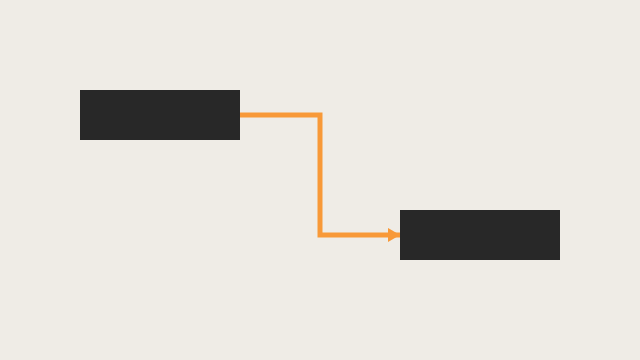

What a planner means
Assign Successors is Oracle Add successor relationships and Edit > Assign > Successors. It opens the Assign Successors dialog box so you can assign successor activities (and remove existing successor relationships). It is a command. It is not stored as its own table. It is not Assign Predecessors, not Link Activities, not Unlink Activities, not Remove successor relationships, not Change successor relationships, not Create relationships in the Gantt Chart / Activity Network, and not EPPM Assigning Successor Relationships copied onto Professional.
Oracle Add successor relationships (Professional):
- "Choose Project, Activities."
- "Select the activity to which you want to add a successor relationship."
- "Display Activity Details, then click the Successors or Relationships tab."
- "Click Assign in the Successors tab or in the Successors area of the Relationships tab."
- Same-project: "in the Assign Successors dialog box select the successor activity you want to assign, click the Assign button, then click the Close button." External: "click the Display Options bar and choose Select Project. Select the external project, then select the successor activity you want to assign. Click the Assign button, then click the Close button."
- "To specify a successor activity's relationship type, double-click the Relationship Type field, then select a type."
- "To specify a successor activity's lag time, double-click the Lag field, then type the lag time value."
- "To add comments about a successor activity's relationship, double-click the Comments field, then type your comments."
Tip: "You can add the Successor Details column to the Activity Table to see a list of all successors, the relationship type, and the lag applied to the relationship."
Note: "To display the Relationships tab in Activity Details, click the Layout Options bar, then choose Bottom Layout Options and add the Relationships tab to the Display Tabs column list."
Quote those steps. That how-to fetched prints no default relationship type. Do not invent that it printed Finish-to-Start as the default. Do not invent that it printed Edit > Link Activities.
Edit Menu Assign > Successors: "Opens the Assign Successors dialog box. In this dialog box, you can assign successor activities and remove existing successor relationships." Enabled when active window is Activities. Corresponding toolbar: Assign Toolbar. Hot key Alt-E, I, S.
Assign Toolbar: "Use the Assign toolbar to assign resources, roles, activity code values, predecessors, successors, and activity step templates to the activity you select in the Activities window." Successors icon: same Assign Successors dialog sentence. Toolbar displayed by default; "All of the icons on this toolbar display by default." "The icons on this toolbar do not have corresponding shortcut keys." "You can right-click on an activity to access a shortcut menu that includes most of the options described in the table." Quote no shortcut keys and Alt-E, I, S. Do not collapse them. Do not invent a Ctrl key.
Assign Successors dialog box: "Use the Assign Successors dialog box to assign a successor to the selected activity. To display this dialog box, click Assign in the Successors tab of Activity Details or click on the Assign toolbar. You can also click Assign in the Successors area of the Relationships tab in Activity Details." Fields fetched: Display Options bar (change the activities display; "select another project when you want to assign external relationships to an activity"; "You can customize columns, filters, grouping and sorting, font, and colors."); Search ("Type an activity ID or name to display a filtered list of activities whose ID or name begins with this value."); WBS/Activity ID ("Displays activities in the open project."); Activity Name ("Displays the names of the activities in the open project."); Activity Status ("Displays the status of the activities in the open project."); Assign ("Assigns the selected successor activity."); Remove ("Removes the selected successor activity."). Tip: "To sort the display, click a column label." Quote those labels. Do not invent other dialog fields. Do not collapse WBS/Activity ID onto the Assign Predecessors dialog Activity ID. The WBS/Activity ID sentence prints open project; the add how-to also prints Select Project for external. Quote both. Do not collapse them.
Assign Predecessors is a different command. Edit > Assign > Predecessors / Add predecessor relationships / Assign Predecessors dialog. That assigns a predecessor, not a successor. See Assign Predecessors.
Link Activities is a different command. Edit > Link Activities creates finish-to-start in listed order. It does not open Assign Successors. See Link Activities.
Unlink Activities is a different command. Edit > Unlink Activities removes relationships between the selected activities. See Unlink Activities.
Remove successor relationships is a different how-to. Successors or Relationships tab → select the successor → Remove → Yes. That is one-row remove from Details, not the Assign dialog's primary assign path.
Change successor relationships is a different how-to. Same tabs: Assign to add; double-click Relationship Type or Lag to change; Remove to remove. That how-to is change, not this add command.
Create relationships in the Gantt Chart / Activity Network are different commands. Draw from bar or box edges. See FS / SS / FF / SF + Lag (Planner Language).
Professional vs EPPM
Professional — the how-to and dialog above. External via Display Options bar → Select Project. Relationship Type / Lag / Comments after assign. No Save on those pages.
EPPM web — Oracle Assigning Successor Relationships: Navigation Menu → Projects → Activities; select the activities; Context → Assign Successors; in the Assign Relationships panel select one or more from the Assign Successors list → Assign Successors → Close; Save. Tips fetched: "Only Finish to Start relationships are created in the Assign Relationships panel." Other types: Gantt View, or change type in the Relationships detail window. "You can also change an existing relationship in the Successors detail window. To choose a different successor, select the Activity ID field in an existing relationship and choose a different activity from an open project. The Relationship type and lag will be maintained if you select a new successor." "When selecting a predecessor or successor activity, you can choose from activities in the open projects only." Do not copy EPPM Context / Assign Relationships panel / Save / FS-only / open-projects-only onto Professional. Do not copy Professional Select Project / Relationship Type–Lag–Comments double-click onto EPPM.
Primavera Cloud Assign Successors is a different product. Do not copy it here.
XER
The command is not an XER table. After it runs you see a new TASKPRED row (pred_task_id = predecessor, task_id = successor). Oracle’s project XER map TOC has no ASSIGNSUCC / ASSIGNSUCCESSOR / ASSIGN_SUCC table. Do not treat a TASKPRED row as “the planner used Assign Successors.” A Viewer cannot tell this command from Link Activities, Gantt draw, Details Assign, import, or EPPM Assign Successors.
Microsoft Project
Microsoft Successors field: "lists the task ID numbers for the successor tasks to a task." Each successor "may be followed by a dependency and the lead or lag time" (FS / FF / SS / SF). "If you enter only the task ID number in the Successors field, Microsoft Office Project assumes a finish-to-start dependency with zero lag time."
Microsoft Link tasks: Project Online subscriber can pick from a drop-down on the Predecessors or Successors column. "The Successor column is not shown by default."
Microsoft Change a task link / Task Information: Predecessors tab (add on a blank row; Type; Lag). That page fetched prints no Successors tab.
Those are not the Assign Successors dialog. Do not map them as the same command. Do not invent a Task Information Successors tab. Do not claim MPXJ writes a real MPP.
Don't
- Treat Assign Successors as Assign Predecessors, Link Activities, Unlink, Remove successor, Change successor, or Gantt/Network draw.
- Invent that the Professional add how-to printed a default Finish-to-Start.
- Invent a Ctrl shortcut (Assign Toolbar: no shortcut keys; hot key Alt-E, I, S).
- Collapse WBS/Activity ID onto the Assign Predecessors dialog Activity ID.
- Copy EPPM Context / Save / FS-only panel / open-projects-only onto Professional.
- Copy Professional Select Project / Comments onto EPPM.
- Invent an ASSIGNSUCC XER table, or reconstruct the command from a TASKPRED row.
- Map this to MSP Successors field / Successors column / Task Information Predecessors tab as the same command.
- Invent a Task Information Successors tab.
- Claim MPXJ writes a real MPP.
Sources
- Oracle Add successor relationships [27 Aug 2026]
- Oracle same how-to [27 Aug 2026]
- Oracle Assign Successors dialog box [27 Aug 2026]
- Oracle Edit Menu [27 Aug 2026]
- Oracle Assign Toolbar [27 Aug 2026]
- Oracle Using Hot Keys [27 Aug 2026]
- Oracle Add predecessor relationships [27 Aug 2026]
- Oracle Change successor relationships [27 Aug 2026]
- Oracle Remove successor relationships [27 Aug 2026]
- Oracle Assigning Successor Relationships [27 Aug 2026]
- Oracle same EPPM how-to [27 Aug 2026]
- Oracle XER project map TOC [27 Aug 2026]
- Oracle TASKPRED [27 Aug 2026]
- Microsoft Successors [27 Aug 2026]
- Microsoft Change a task link [27 Aug 2026]
- Microsoft Link tasks [27 Aug 2026]
- Related [27 Aug 2026]