
Views, Filters & Print
P6 Schedule Print / PDF (Table + Gantt)
Print current layout; Data Date in header; Timescale Start/Finish is its own control

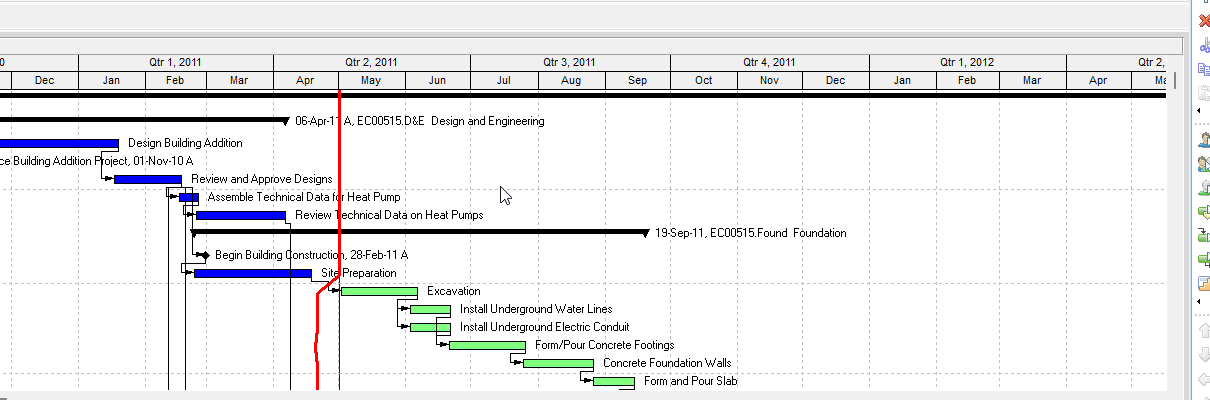
What P6 prints
P6 prints the current layout (columns, grouping/collapse, filter, bars), not a separate print template. Layouts/views are the print setup.
Professional: File > Page Setup. EPPM Classic: Actions > Print Preview > Page Setup. EPPM: Gantt prints only if it is showing in the view.
Page Setup fields (Oracle)
Page tab: orientation, scaling, paper size (user-chosen; Oracle does not name a default).
Header/Footer: sections; variables include Project Name, Project Start, Data Date, Admin/Application custom labels, logo, revision box. If the Gantt is showing, a section can be Gantt Chart Legend.
Options tab (layout print):
- Timescale Start / Timescale Finish (type of date or custom — can differ from the on-screen window)
- Activity Table, All Columns, Grid Lines, Gantt Chart
- Break Page Every Group
EPPM also: date range to print, pages-wide, how many columns, table share of the page, table on every page, rolling dates saved with the view (example: start = current date, finish = current date + one month). Print settings save with the view. Gradient bars slow PDF.
Paper — practice, not Oracle
Oracle lets you pick any printer paper. Construction planners usually plot Tabloid / 11×17 landscape for table + Gantt. Letter landscape is common for a short look-ahead. Do not treat 11×17 as an Oracle default.
Timescale — not forced to the screen, not forced to the whole job
Print date range is its own Page Setup control. A 2741-activity job (23-10-CE-LIVE) is not a professional activity-level whole-project plot. Two common layouts:
- Collapse to WBS 2 + whole-project timescale (executive)
- Filtered look-ahead + a rolling/visible window (working)
Must-have vs leave off
Must-have on a statused plot: Data Date (Oracle variable), project name, page n of m. Filter or layout name is practice so the plot is identifiable.
Legend: use Oracle's Gantt Chart Legend if bar colors mean actual / remaining / critical. Not a separate "critical path note" block.
Leave off: app chrome, toolbars, browser chrome. EPPM: turn off gradient for PDF speed.