
Views, Filters & Print
Check Schedule
Check Schedule is a health/quality report; not Calculate schedule; no XER table

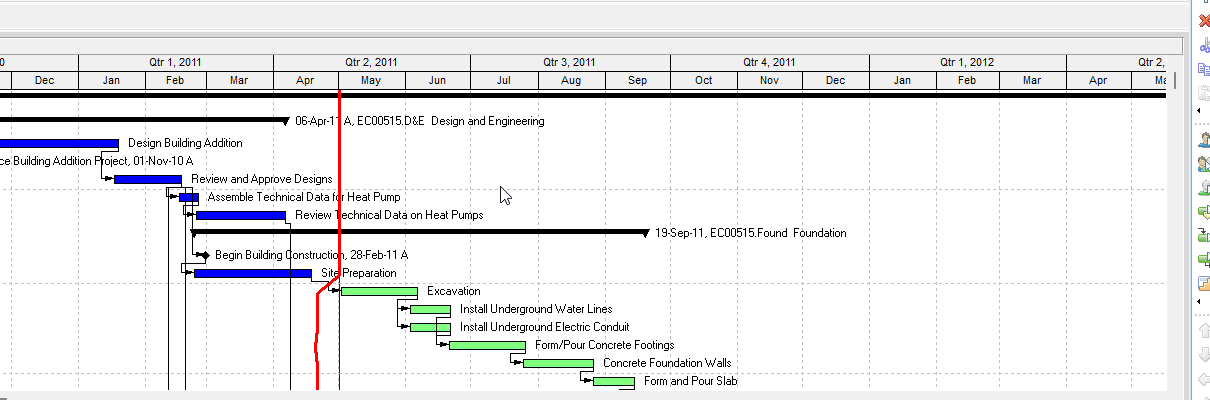
What a planner means
The Check Schedule Report is a health/quality report. Oracle: it "analyzes the schedules of open projects allowing you assess project heath metrics." You pick checks and "target percentages for each report parameter." It looks for "warning signs of potential issues." It is not Schedule. It does not schedule the project. Not the Schedule Log (Schedule Log). Not the Leveling Report Log. Not the open-ended schedule option (Open-Ended Activities (and “make Them Critical”)), the constraint fields (P6 Activity Constraints (Task.cstr_type)), or Longest Path (Driving Relationships vs Longest Path vs “critical”).
Professional — Tools > Check Schedule Report… (Check a schedule). Tools toolbar: Tools > Check Schedule opens the Check Schedule dialog "to configure the parameters for the check schedule report." If multiple projects are open, pick "the project whose check schedule parameters you want to use." Select checks; optionally adjust the target and any durations. Specify a report location and file name. Overwrite the existing file, or if you do not overwrite, "the report name will be appended with a time stamp." Check Schedule "Saves the settings you have configured, initiates the Check Schedule analysis, produces the report at the location you specified, and opens the report in a separate window." Save stores the configuration on the project selected in Use Check Schedule parameters from. "Each project can have its own configuration of these settings." Default "Returns all checks to their default values."
After the report: filter the view to activities that fail a test with the Check Schedule toolbar, or View > Check Schedule and the check to view. Check Schedule Thresholds "allows you to modify the thresholds for Long Lags, Large Float, and Large Durations."
Version 26 Professional dialog tabs (Oracle names):
Relationships and Assignments
- Logic — "percentage of activities that have no predecessor or successor." "Started activities and start milestones are not required by this analysis to have predecessors. Completed activities and WBS summary activities are not included."
- Negative Lags — relationships with lag duration less than zero. Relationships between completed activities are not included.
- Positive Lags — relationships with positive lag. Relationships between completed activities are not included. (Older Professional / EPPM pages name this Lags.)
- Long Lags — lag duration greater than the value you specify. Duration units convert to hours using Hours per Time Period. Relationships between completed activities are not included. Checking schedules overview example: "greater than 352 hours."
- Relationship Types — "The majority of relationships should be Finish to Start." Target is the acceptable percentage that must be Finish to Start. Relationships between completed activities are not included.
- Out of Sequence — "percentage of activities that are out of sequence in relation to their predecessors." Target: activities that "have started or be in progress before their predecessor is completed." Overview one-liner: "Activities which are completed or in-progress before their predecessors."
- Resource / Cost — activities not assigned "at least one resource, role, or expenses." Pass if at least one resource, role, or expense is assigned, "regardless of whether any costs have been assigned." Milestones, WBS Summary, and Level of Effort are not included.
- Dangling Start — "activities with start dates that are not driven by the activity's predecessors, including activities with only finish-to-finish or start-to-finish relationships with their predecessors." Optional: Ignore in-progress activities for dangling start activities.
- Dangling Finish — "activities with finish dates that do not drive the activity's successors." Optional: Ignore activities with soft constraints / Ignore activities with hard constraints (lists below).
Dates and Durations
- Large Float — scheduler-calculated float greater than the value you specify. Completed, WBS Summary, and Level of Effort are not included.
- Negative Float — float less than zero. "These activities are likely to delay the end date of the project if corrective action is not taken." Same exclusions.
- Large Durations — remaining duration greater than the value you specify. Completed, WBS Summary, and Level of Effort are not included.
- Activities with invalid progress dates — not started: start dates earlier than the data date. In progress: remaining early start earlier than the data date, or actual start later than the data date. Completed: actual finish later than the data date. Completed activities with actual finish earlier than the data date, WBS summary, and Level of Effort are not included.
- Late Activities — "scheduled to finish later than the corresponding activity in the project baseline." "If an activity has no corresponding activity in the project baseline, it is considered to fail this test if its remaining early finish date is later than its planned finish date." Milestones, WBS Summary, and Level of Effort are not included.
- BEI — Baseline Execution Index: completed activities in the open project vs baseline activities "calculated to finish before the open project's data date," as a percentage. Not started, in progress, Milestones, WBS Summary, and Level of Effort in the open project are not included. In the baseline, milestones, WBS Summary, Level of Effort, and activities with a finish date later than the open project's data date are not included.
Constraints
- Hard Constraints — "constraints applied that will prevent the activity dates being recalculated according to the schedule logic." On this tab Oracle names hard as Mandatory Start, Start On, Mandatory Finish, and Finish On. Completed, WBS Summary, Level of Effort, and "start constraints applied to started activities" are not included.
- Soft Constraints — "constraints applied that will not prevent the activity dates being recalculated according to the schedule logic." On this tab Oracle names soft as Start On or Before, Start On or After, Finish On or Before, Finish On or After, and As Late As Possible. Same exclusions.
Oracle does not use one hard/soft list. Write the page you are on:
| Page | Hard | Soft |
|---|---|---|
| Professional Check Schedule Constraints tab | Mandatory Start, Start On, Mandatory Finish, Finish On | Start On or Before/After, Finish On or Before/After, As Late As Possible |
| Professional Check Schedule Dangling Finish ignore lists (same dialog) | Mandatory Start and Mandatory Finish | Start On, Start On or After/Before, Finish On, Finish On or After/Before, As Late As Possible |
| Professional Types of constraints | Mandatory Start and Mandatory Finish | Start on, Start on or before/after, Finish on, Finish on or before/after |
| EPPM Check Schedule Settings tab | Mandatory Start and Mandatory Finish | Start On, Start On or Before/After, Finish On, Finish On or Before/After, and As Late As Possible |
| EPPM Hard Constraints report section (Constraint Type field) | Mandatory Start and Mandatory Finish | Start on, Start on or before/after, Finish on, Finish on or before/after |
See P6 Activity Constraints (Task.cstr_type). Do not collapse the lists.
The report also provides (Check a schedule notes): ID, name, data date, total activities, completed activities, internal relationships, and external relationships for each checked project; ID, name, data date, and link counts for linked projects that were closed when the report ran; project ID / activity ID / name for activities missing from the assigned baseline; and predecessor/successor IDs, names, relationship type, and lag for links to those closed projects.
Checking schedules (Professional overview) also names Invalid Progress Before Data Date, Invalid Progress After Data Date, Baseline (activities missing assigned baseline), and Links to Closed Projects. The dialog tabs fetched do not define Baseline or Links to Closed Projects as markable options. The Dates tab has one invalid-progress-dates check, not two.
EPPM web — Activities > Actions > Check Schedule. Settings tab: Run Check Schedule. View Report opens the Schedule Check Report dialog (sections are clickable Project ID / Activity ID / Name).
EPPM Settings tab check names (Oracle): Relationships (missing predecessors or successors); Dangling Start; Dangling Finish; Negative Lags; Lags; Long Lags; Relationship Types; Hard Constraints; Soft Constraints; Large Float; Negative Float; Large Durations; Invalid Progress Dates; Resource / Cost; Late Activities; BEI. That page does not list Out of Sequence, and it does not list the Professional dangling ignore checkboxes.
EPPM Relationships extras the Professional Logic sentence does not print: "Finish milestones are not required by this analysis to have successors." Report section: Start Milestones / actual start pass the predecessor check; Finish Milestones always pass the successor check; "Activities with external predecessors or successors pass the check." State is "predecessor, successor, or both."
EPPM Resource / Cost: "at least one resource or expenses" — Oracle did not say role on that page.
EPPM Late Activities (Settings): remaining early finish later than "the remaining finish date of the corresponding activity in the project baseline"; "Activities without a corresponding activity in the project baseline are considered to fail this test." Report section: subset checked for "Baseline Finish Variance of less than 0"; field Finish Variance (hours).
EPPM Invalid Progress Dates (Settings): not started "start or remaining start dates earlier than the data date" (Professional Dates tab says start dates only for not started). Dialog overview (91574): "actual dates that occur after the data date or incomplete activity dates scheduled before the data date."
EPPM dialog overview (91574) default targets Oracle printed there: Logic < 5%; Negative Lags < 1%; Lags < 5%; Long Lags default 352h (44 days at 8 hours per day), target < 5%; Relationship Types > 90% Finish to Start; Hard Constraints < 1%; Soft Constraints < 5%; Large Float default 352h, target < 1%; Negative Float < 1%; Large Durations default 352h, target < 5%; Invalid Progress Dates < 1%; Resource/Cost < 1%; Late Activities < 5%; BEI 0.95 or greater. That overview page does not list Dangling Start/Finish. Oracle did not print those default numbers on the Professional dialog tabs fetched.
XER
The report is a file (Professional) or a dialog (EPPM). Oracle's project XER data map TOC lists no CHECKSCHED, CHECKSCHEDULE, SCHEDCHECK, or CHECK table. Do not invent one. SCHEDOPTIONS is the schedule-calculation flags, not this report. A Viewer parse of one XER cannot reconstruct the planner's last Check Schedule Report.
Oracle said each project can store its own check-schedule configuration in the UI. Oracle did not name an XER table or column for those settings.
Microsoft Project
Desktop Project has Task Inspector (Task tab > Inspect Task). Microsoft: "use the Microsoft Project task inspector to see how changes to one task affect the rest of the project" and "to track schedule changes." The pane lists, as applicable: Actual Start and Assignments; Leveling Delay; Constraint Type and Date; Summary Task; Predecessor Tasks; Subtasks; Calendars; Manually Scheduled or Auto Scheduled. VBA: TaskInspector / TaskDrivers "has the same effect"; the pane "includes factors that affect the task start date and finish date (task drivers such as calendars and predecessor tasks) and can also show warnings, suggestions, and ignored problems." Microsoft: if the pane looks wrong, recalculate the schedule.
That is a per-task pane, not a P6 Check Schedule Report file or the EPPM Schedule Check Report dialog. Do not map them as the same command. Do not claim MPXJ can write a real MPP.
Don't
- Treat Check Schedule as Calculate schedule, as the Schedule Log, or as rewriting dates.
- Treat it as the open-ended option, constraint fields, Longest Path, or the Leveling Report Log.
- Invent a CHECKSCHED / CHECKSCHEDULE / SCHEDCHECK / CHECK XER table, or treat SCHEDOPTIONS as this report.
- Collapse Professional vs EPPM hard/soft lists, or the Constraints-tab list vs the Dangling Finish ignore lists.
- Copy EPPM default targets or Finish-milestone / external-relationship sentences onto the Professional Logic check as if Oracle printed them there.
- Copy Professional Out of Sequence, dangling ignore checkboxes, or "role" on Resource / Cost onto EPPM as if Oracle listed them there.
- Invent a dangling-start algorithm beyond Oracle's FF/SF sentence (Professional) / "not driven by" sentence (EPPM).
- Map this object to MSP Task Inspector / Inspect Task and call them the same.
- Claim MPXJ writes a real MPP.
- Claim a Viewer reconstructed the planner's last Check Schedule Report from an XER.
Sources
- Oracle Checking schedules [27 Aug 2026]
- Oracle Check a schedule [27 Aug 2026]
- Oracle Check Schedule dialog box [27 Aug 2026]
- Oracle Relationships and Assignments tab [27 Aug 2026]
- Oracle Dates and Durations tab [27 Aug 2026]
- Oracle Constraints tab [27 Aug 2026]
- Oracle Tools toolbar [27 Aug 2026]
- Oracle Types of constraints [27 Aug 2026]
- Oracle Check Schedule Settings tab [27 Aug 2026]
- Oracle Check Schedule Dialog Box of the Activities Page [27 Aug 2026]
- Oracle Relationships report section [27 Aug 2026]
- Oracle Dangling Start report section [27 Aug 2026]
- Oracle Dangling Finish report section [27 Aug 2026]
- Oracle Hard Constraints report section [27 Aug 2026]
- Oracle Late Activities report section [27 Aug 2026]
- Oracle Invalid Progress Dates report section [27 Aug 2026]
- Oracle Large Float report section [27 Aug 2026]
- Oracle Large Durations report section [27 Aug 2026]
- Oracle XER project map TOC [27 Aug 2026]
- Oracle XER SCHEDOPTIONS [27 Aug 2026]
- Microsoft View and track scheduling factors [27 Aug 2026]
- Microsoft Application.TaskInspector [27 Aug 2026]