
Views, Filters & Print
Schedule Log
Schedule Log is an HTML/text report of the last schedule run; not an XER table

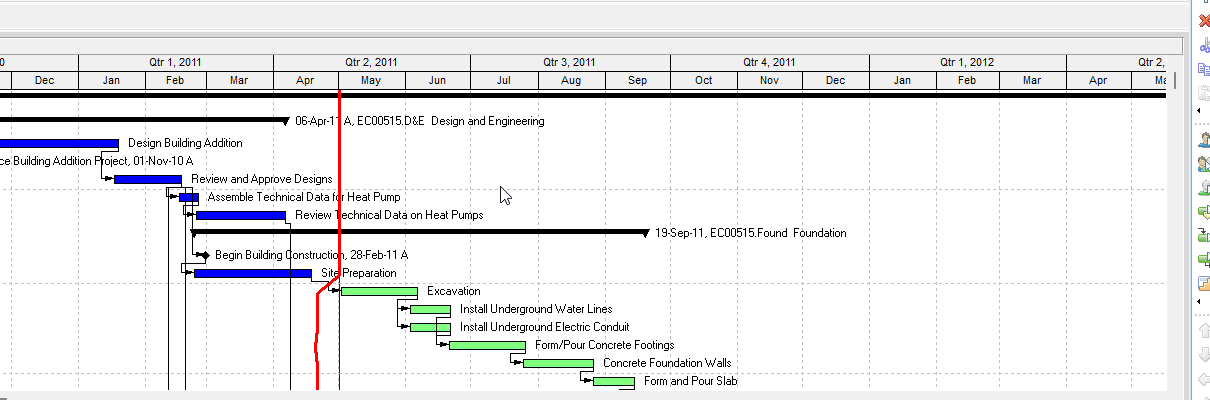
What a planner means
The Schedule Log is a report of the last Schedule run. It is not the scheduler, not a stored schedule option, and not an XER table. Oracle records "scheduling results" (Professional) or shows a Schedule Project Log of "errors, warnings, and exceptions as well as basic information about the job, such as option settings and statistics" (EPPM).
This is not Check Schedule (Tools > Check Schedule Report… / Actions > Check Schedule). That is a separate health report with its own checks (missing predecessors/successors, dangling start/finish, hard/soft constraints, and others). Not the Leveling Report Log (Level Resources). Not Recalculate Assignment Costs Log, Store Period Performance Log, or Update Baseline's log. Not the schedule options themselves — see Retained Logic vs Progress Override vs Actual Dates, Open-Ended Activities (and “make Them Critical”), Driving Relationships vs Longest Path vs “critical”, Multiple Float Paths Rank Chains; They Are Not Longest Path or TF Critical, P6 Data Date (Time-Now / As-Of).
Professional — Tools > Schedule. Log to file: "record your scheduling results in a log file." Enter a filename and location. "Specify whether the log file should be generated as HTML." Overwrite the existing file, or "add the log to the end of the existing file." Oracle: "You cannot add the log to the end of the existing file if you choose to generate the file as HTML." View Log: "Displays your scheduling results." Virtual Desktop: set that path on the local machine so you can open the file when you are not in the session. Oracle Professional help does not name the EPPM section titles below for this file.
EPPM web — Activities > Schedule… > Display scheduling log upon completion, then Schedule Now. The Schedule Project Log dialog is read-only. Oracle's named sections:
Scheduling Settings (echo of the options used on that run; not a second copy of SCHEDOPTIONS):
- Ignore relationships to and from other projects
- Make open-ended activities critical
- Use expected finish dates
- When scheduling progressed activities use — Retained Logic / Progress Override / Actual Dates (Oracle's three sentences are on Retained Logic vs Progress Override vs Actual Dates)
- Calculate Start-to-Start lag from — Early Start / Actual Start
- Define critical activities as Total Float less than or equal to
- Compute Total Float As — Start Float / Finish Float / Smallest value
- Calendar for scheduling Relationship Lag — Predecessor / Successor / 24 hour / Project Default
- Calculate multiple float paths
- Recalculate Assignment Costs
Statistics: Number of Activities; Not Started / In Progress / Completed; Number of Relationships; Number of Activities with constraints.
Errors: "Activities that have invalid relationship loops" (Project ID / Name, Activity ID / Name, Start, Finish).
Warnings (each as a table with Project ID / Name, Activity ID / Name, Start, Finish):
- Activities without predecessors and Activities without successors
- Out of sequence activities — "activities that have started before their predecessor activity has completed"
- Activities with actual date later than data date — "the data date is before the actual date"
Scheduling Results: Number of Activities Scheduled; Number of Relationships with other projects; Earliest Early Start Date; Latest Early Finish Date.
Exceptions (counts only): Critical Activities; Activities with unsatisfied constraints; Activities with unsatisfied relationships; Activities with external dates. Oracle's gloss on the two "unsatisfied" counts: constraints or relationships "that have not been addressed." Oracle did not define "addressed."
EPPM connected Professional: Job Status View Log "Launches a web browser to view detailed log files" (you must be able to log into P6). Project Scheduled Services View Log: "the log for the most recent run of the selected service."
Do not treat Primavera Cloud's Scheduling Log page as this object.
XER
The log is a file (Professional) or a dialog/job log (EPPM). Oracle's project XER data map TOC lists no SCHEDLOG, SCHEDULELOG, or LOG table. Do not invent one. A Viewer parse of one XER cannot reconstruct the planner's last Calculate schedule log.
| Column | Oracle label |
|---|---|
PROJECT.last_schedule_date | Last Scheduled Date (P6 EPPM only) |
Oracle did not say this column is the log, or that it is written only when Log to file is on. Related flags live on SCHEDOPTIONS (the options the log may echo). See Retained Logic vs Progress Override vs Actual Dates, Open-Ended Activities (and “make Them Critical”), Multiple Float Paths Rank Chains; They Are Not Longest Path or TF Critical.
Microsoft Project
Desktop Project File > Options > Schedule has Show Scheduling Messages. Microsoft: if that option is off, "changes to the project file that result in scheduling conflicts are processed." If it is on, "you can see the conflict and correct it." After it is on, recalculate the schedule; "Any scheduling messages that occur must be resolved before the project will be calculated correctly." Planning Wizard check boxes are on the Advanced tab (Project 2010) or General tab (2007). Example Microsoft names: a task before the project's Start Date.
That is a message box / option, not a P6 HTML or text log file and not the EPPM Schedule Project Log dialog. Do not map them as the same object. Do not claim MPXJ can write a real MPP.
Don't
- Treat the Schedule Log as Calculate schedule itself, as SCHEDOPTIONS, or as rewriting dates.
- Treat it as Check Schedule, the Leveling Report Log, Recalculate Assignment Costs Log, Store Period Performance Log, or Update Baseline's log.
- Treat it as retained logic, open-ended, longest path, multiple float paths, or Data Date.
- Invent a SCHEDLOG / SCHEDULELOG / LOG XER table, or a meaning that
last_schedule_dateis the log. - Copy EPPM section titles onto the Professional file as if Oracle named them there.
- Map this object to MSP Show Scheduling Messages / Planning Wizard and call them the same.
- Claim MPXJ writes a real MPP.
- Claim a Viewer reconstructed the planner's last Calculate schedule log from an XER.
Sources
- Oracle Schedule dialog box [27 Aug 2026]
- Oracle Schedule a project [27 Aug 2026]
- Oracle Configuring the Scheduling Log Location [27 Aug 2026]
- Oracle Schedule Dialog Box [27 Aug 2026]
- Oracle Scheduling Projects [27 Aug 2026]
- Oracle Schedule Project Log dialog [27 Aug 2026]
- Oracle Scheduling Settings section [27 Aug 2026]
- Oracle Statistics section [27 Aug 2026]
- Oracle Warnings section [27 Aug 2026]
- Oracle Scheduling Results section [27 Aug 2026]
- Oracle Exceptions section [27 Aug 2026]
- Oracle Errors section [27 Aug 2026]
- Oracle Job Status View Log [27 Aug 2026]
- Oracle Project Scheduled Services View Log [27 Aug 2026]
- Oracle Check a schedule [27 Aug 2026]
- Oracle PROJECT
last_schedule_date[27 Aug 2026] - Oracle XER project map TOC [27 Aug 2026]
- Microsoft Tasks aren't scheduled as expected [27 Aug 2026]