
Progress & Earned Value
Progress Spotlight (a View, Not a Field)
Progress Spotlight is a view curtain, not an XER field
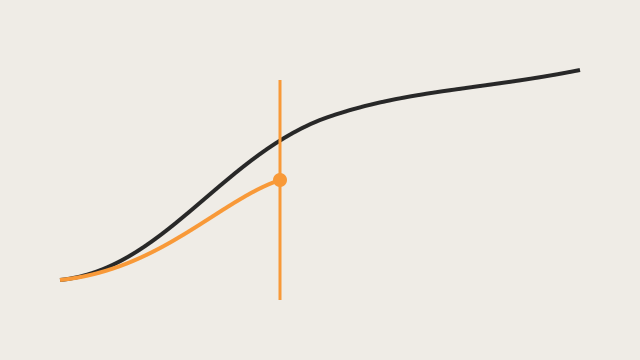
What a planner means
The update window: activities that should have started, progressed, or finished between the last Data Date and a new data date. Oracle EPPM: a yellow curtain behind that timeperiod. Professional: View > Progress Spotlight, or drag the data date line. Once spotlighted you status them (manually or Update Progress).
The new data date defaults to one increment of the current timescale (smallest interval = Day → next day). If you update weekly, set the timescale to weeks so the curtain is the update period. Multiple projects open: the default project’s data date starts the window.
Spotlighting turns off automatic scheduling. Tools > Schedule recalculates and turns it back on. Spotlighted rows stay highlighted when you click elsewhere (unlike a normal selection).
What it is not
- Not an XER column. Do not invent
spotlight_flag. - Not a look-ahead filter (look-ahead is DD → DD+N for coordination). See Look-Ahead 21-Day / 3-Week Window.
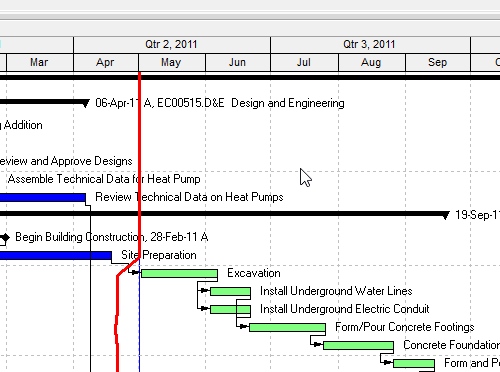
- Not Progress Line (a different P6/Project Gantt decoration). See Progress Line.
- Not Apply Actuals. Spotlight selects the work to status.
Microsoft Project
Progress lines can be drawn on the Status Date (or current date, or intervals). That is a Gantt marker, not a “should have progressed in this curtain” selector, and it does not turn off calculation.
Do not store spotlight as parsed XER data, treat the yellow curtain as a 21-day look-ahead, or map it to MSP progress lines.