
Dates & Status
Status Date vs P6 Data Date (Microsoft Project)
Status Date vs P6 Data Date; what it drives
What Microsoft says
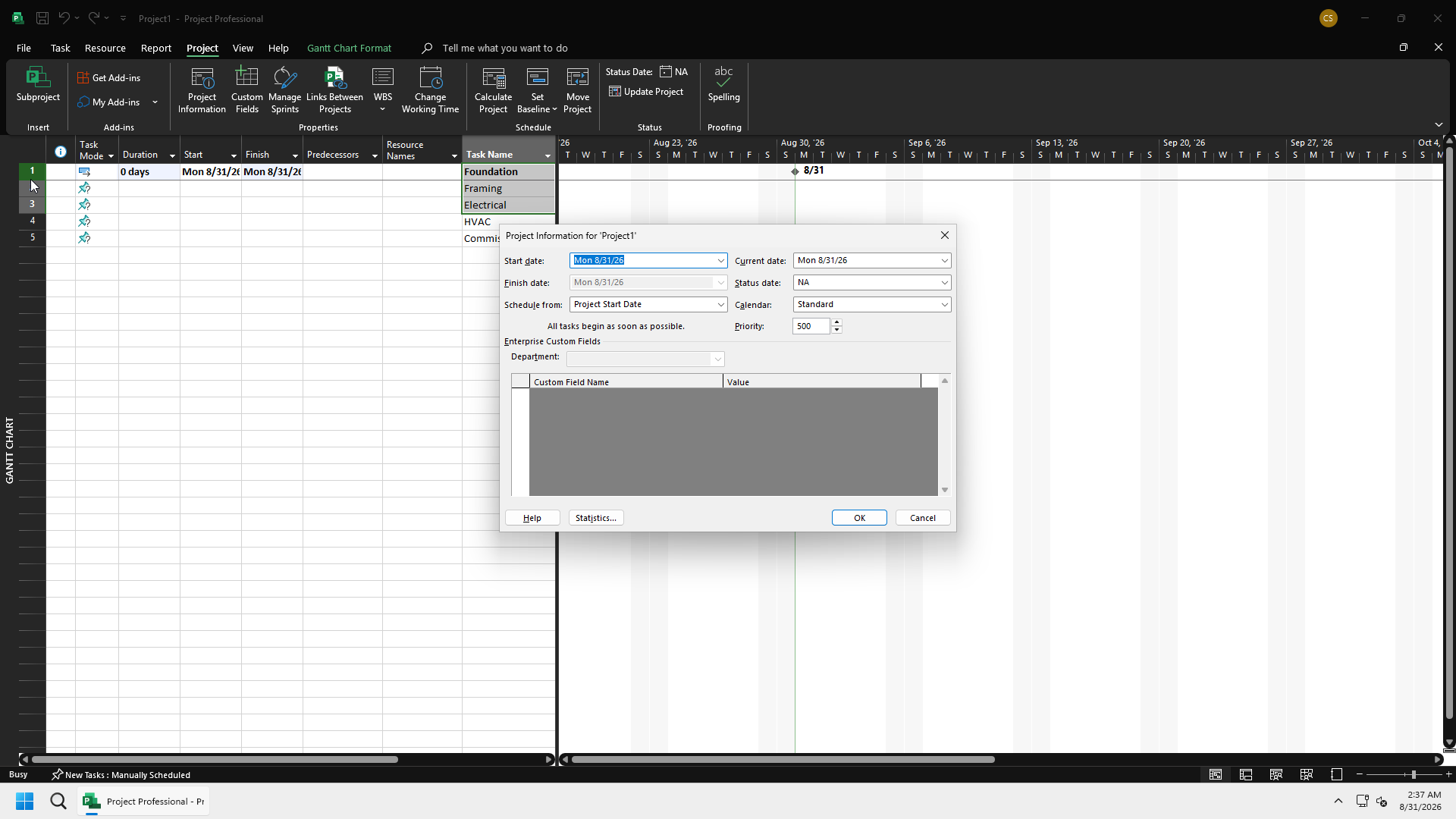
Status Date is Microsoft Project's reporting and calculation as-of date, set from Project → Status Date. Microsoft's own guidance is blunt about it: "The status date is almost never the current date, so you need to set it." Entering NA, or the current date, resets it back to today.
In MSPDI, Project/StatusDate is an optional dateTime field documented as "date used for calculation and reporting." CurrentDate, by contrast, is simply "the system date that Project generated the XML file" — a different field with a different purpose. Do not confuse the two, and do not map Status Date onto StartDate.
What it drives (Microsoft)
When a planner enters % complete or actual work to date, Project uses the status date to place actual work and to schedule remaining work. Three Advanced calculation options govern exactly how that placement happens, and their defaults can be changed: moving the end of completed parts that fall after the status date back to the status date, moving the start of remaining parts that fall before the status date forward to the status date, or — as a paired behavior — moving the other end so the whole task sits on the status date. None of these settings apply when actual work is instead entered by time period.
Earned value calculations are also anchored to the status date: BCWS and similar measures are calculated up to that date, so changing the status date changes earned value through that point. Progress lines can be drawn on the status date, the current date, or at set intervals, and Microsoft recommends turning on "Edits to total task % complete will be spread to the status date" so that progress lines stay consistent with the status date chosen.
vs P6 Data Date
Project's Status Date and P6's Data Date share the same idea — an as-of, or time-now, anchor — but they are not the same field, and they do not always behave identically.
| P6 | Project | |
|---|---|---|
| UI name | Data Date | Status Date |
| Typical XER / MSPDI | PROJECT.last_recalc_date (Oracle label: Last Recalc Date — not "Data Date"; MPXJ maps it to Status Date) | StatusDate |
| Remaining work | sits to the right of the data date (Oracle actual-duration definition) | remaining work is moved relative to status date only if those Advanced options are on |
| Must Finish By / Start | different fields | different from StartDate / FinishDate |
See p6/data-date.md for the P6 side of this comparison in full. A converter moving between the two products must map Data Date to Status Date — never to Start Date.