
In Primavera P6
Add a Text Attachment to a Gantt Chart
Add a text attachment to a Gantt Chart is Layout Options bar; Attachments, Text; Font; OK

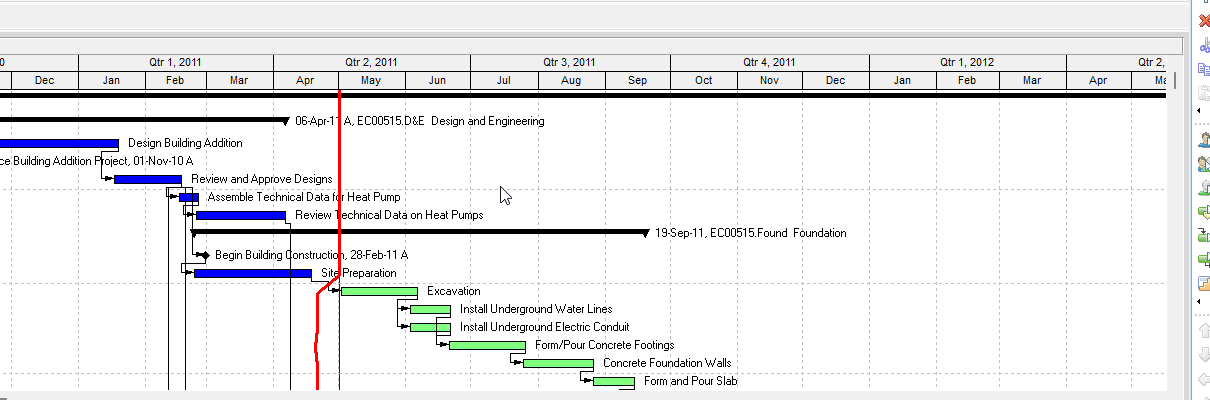
What a planner means
Add a text attachment to a Gantt Chart is Oracle Add a text attachment to a Gantt Chart. Activities window. Select the activity. Layout Options bar → Attachments, Text. Font for font and font style. OK. The text displays in the foreground wherever you click in the layout. Double-click an existing attachment to modify it. It is a how-to. It is not stored as its own table. It does not create, edit, or delete a relationship. It is not the Text attachment object note, not Remove a text attachment, not Add a curtain attachment, not Attach notebook items to bars, not a notebook, not Activity Feedback, not TASKPRED, not EPPM copied onto Professional, and not Microsoft text box on a Gantt.
Oracle does print a how-to titled Add a text attachment to a Gantt Chart. Oracle does not print a menu item named Add a text attachment to a Gantt Chart. The path that how-to prints is Layout Options bar → Attachments, Text. Do not invent View > Add a text attachment. Do not invent View, Attachments on this how-to (that page fetched does not print View, Attachments).
Oracle Add a text attachment to a Gantt Chart (Professional):
- "In the Activities window, select the activity to which you want to add the attachment."
- "Click the Layout Options bar and choose Attachments, Text."
- "Click the Font button to select the attachment's font and font style."
- "Click OK."
- "Click Cancel to close the dialog box without saving any changes."
- "The attachment text displays in the foreground of the Gantt Chart, wherever you click in the layout."
- "To modify an existing text attachment, double-click to select it, then modify it in the Text Attachment dialog box."
The current G48902 fetch jumbles OK under the title; the same sentences print in that order on the F74771 how-to. That how-to fetched prints no Apply, no Save, no Yes, no Display checkbox, no Start / Finish Dates, no color, no fill pattern, and no "type the text" numbered step. Do not invent those on this how-to.
Text attachment is a different object note. The decoration and the dialog. Leave Text Attachment as the object.
Remove a text attachment is a different how-to. Click the attachment; press Delete.
Add a curtain attachment is a different how-to. Attachments, Curtain, Add Curtain. See Add a Curtain Attachment in a Gantt Chart.
Attach notebook items to bars is a different how-to. Bars → Bar Labels; pick a notebook item. See Attach Notebook.
Professional vs EPPM
Professional — Activities window; select the activity; Layout Options bar → Attachments, Text; Font; OK or Cancel. Text appears wherever you click. No Apply on that page.
EPPM web — Oracle Working with the Activity Gantt Chart does not print Layout Options bar → Attachments, Text, or the Text Attachment dialog. Do not copy Professional Add Text onto EPPM.
Primavera Cloud is a different product. Do not copy it here.
XER
The how-to is not an XER table. Oracle’s project XER map TOC has no TEXT / ATTACH / ATTACHMENT / LAYOUT table. Do not invent a view %T. Adding a text attachment does not write TASK. Layouts travel as .plf. A Viewer cannot reconstruct that the planner used this how-to.
Microsoft Project
Microsoft Project can put a text box on a Gantt. Do not map that as P6 Add a text attachment to a Gantt Chart. Do not claim MPXJ writes a real MPP.
Don't
- Invent View > Add a text attachment, View, Attachments, Apply, Save, Yes, or a "type the text" step on this how-to.
- Copy curtain Display / Start / Finish / color / fill onto this dialog.
- Collapse this onto the Text attachment object, Remove, Add curtain, or Attach notebook items to bars.
- Copy this Professional how-to onto EPPM.
- Invent a TEXTATTACHMENT XER table, or reconstruct the how-to from TASK dates.
- Map MSP Gantt text box as this how-to.
- Claim MPXJ writes a real MPP.