
In Primavera P6
Attach Notebook
Attach Notebook is Bars → Bar Labels notebook-on-bar (one notebook item per bar); .plf not XER; not TASKMEMO, Text attachment, or Show Legend

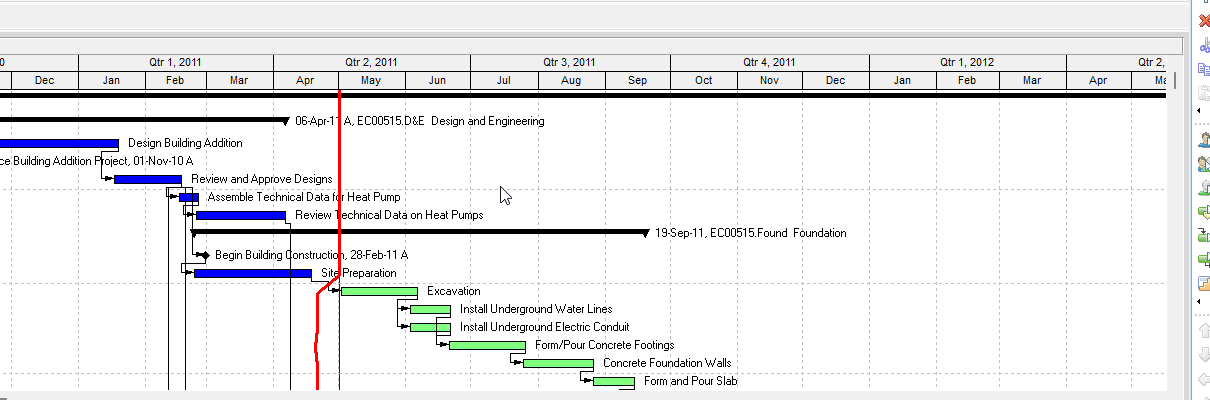
Notebook data is MEMOTYPE / TASKMEMO / WBSMEMO. See Notebooks (MEMOTYPE / TASKMEMO / WBSMEMO) — Not Schedule Logic. This note is the bar-label attach command/layout, not those tables.
What a planner means
Attach Notebook (Oracle: Attach notebook items to bars) is a Gantt Chart decoration: a notebook topic drawn on a bar as a Bar Labels pick. Oracle: Layout Options bar → Bars → Bar Labels; Add a label, pick a position, then "select a notebook item from the list of available bar labels." It is not the notebook text itself (Notebooks (MEMOTYPE / TASKMEMO / WBSMEMO) — Not Schedule Logic), not a text attachment (View > Attachments → Text — Text Attachment), not Show Legend / Default Size for Notebook Items (Show Legend — size, not this attach), not Activity Feedback (Activity Feedback), not Discussion (Discussion), and not the Bars Timescale / Filter / style list (Gantt Bars Are Layout Bar Definitions, Not an XER Table).
Professional — Oracle Attach notebook items to bars:
- "Click the Layout Options bar and choose Bars."
- "Click the Bar Labels tab."
- "Click Add to add a label, then select a position for the label."
- "Click in the Label field and select a notebook item from the list of available bar labels."
- "Click options to set the dimensions of the notebook item."
Notes Oracle prints on that page:
- "Only one notebook item can be attached to each bar."
- "Notebook items can be printed with the layout or published with the layout to the project Web site."
Change a Gantt Chart bar's label (any label, not only a notebook): View, Top Layout Options, Bars; select the bar; Bar Labels. Add / Delete; Position; Label. "Click OK." "To view your changes without closing this dialog box, click Apply."
Bar Labels tab fields Oracle names (quote Oracle):
- Position — "Double-click to change the position of the selected bar's label."
- Label — "Double-click to select a database field for the selected bar's label."
- Add — "Click to add a bar label to the selected bar."
- Delete — "Click to delete the selected bar label from the selected bar."
A bar can have more than one label. Oracle limited notebook items to one per bar. Oracle did not print which other fields sit in that Label list, a notebook-only font or color picker, or that Limit Text Label Characters To applies to a notebook item. Do not invent them.
Dimensions are a different control. Bars Options "specify Gantt Chart background line and legend options" (opens Bar Chart Options). General tab Default Size for Notebook Items: Width / Height "for the notebook items you want to display in the Gantt Chart." That is size of the attached item, not the attach command and not Show Legend. See Show Legend.
EPPM web — Configuring Activity View Gantt Chart Bars: Customize View → Bars tab → Configure; add Bar or Label; label fields Oracle names are Label Field and Color. That page does not print Layout Options bar → Bars, Bar Labels, "select a notebook item," "Only one notebook item can be attached to each bar," Options → Default Size, or Width/Height. About Notebook Topics documents notebook data (activity / WBS / project / EPS). Do not copy Professional Attach notebook items to bars onto EPPM as if Oracle printed that command there.
XER
Attach-to-bar is a Gantt / layout setting. Oracle's project XER data map TOC lists no ATTACHNOTEBOOK, ATTACH, BARLABEL, BAR, GANTT, LAYOUT, or VIEW table. Do not invent one. Layouts travel as .plf, not in a project XER. See Filters and Layouts Are a View, Not the Schedule.
MEMOTYPE / TASKMEMO / WBSMEMO are notebook data (topic dictionary and body). They are not this decoration. Oracle did not name an XER column for which notebook item is on which bar, Position, or Default Size Width/Height.
A Viewer parse of one XER cannot reconstruct whether the planner attached a notebook item to a bar.
Microsoft Project
Desktop Project has a single Notes field (task / resource / assignment comments; Task Information → Notes). It also has Bar Styles Text (Left, Right, Top, Bottom, Inside — "the field that contains the data you want to display on the Gantt bar," or a custom Text1–Text3). Format a single bar: Format Bar → Bar Text.
They are not the same object. Project has no notebook-topic dictionary and no "attach one notebook item to each bar" command. Do not map this P6 decoration to MSP Notes or Bar Styles Text and call them the same. Do not claim MPXJ can write a real MPP.
Don't
- Treat Attach Notebook as
TASKMEMO/MEMOTYPE/WBSMEMOdata, as View > Attachments → Text, as Show Legend, as Default Size for Notebook Items, as Activity Feedback (TASKFDBK/TASKNOTE), or as Discussion. - Invent an ATTACHNOTEBOOK / ATTACH / BARLABEL / BAR / GANTT / LAYOUT / VIEW XER table, or treat any TASKMEMO column as this decoration.
- Copy Professional Layout Options bar → Bars → Bar Labels / "select a notebook item" onto EPPM as if Oracle printed that command there.
- Treat EPPM Label Field / Color as this Professional notebook-on-bar attach.
- Map this object to MSP Notes or Bar Styles Text and call them the same.
- Claim MPXJ writes a real MPP.
- Claim a Viewer reconstructed the planner's Attach Notebook from an XER.
Sources
- Oracle Attach notebook items to bars [27 Aug 2026]
- Oracle Attach notebook items to bars [27 Aug 2026]
- Oracle Bar Labels tab [27 Aug 2026]
- Oracle Change a Gantt Chart bar's label [27 Aug 2026]
- Oracle Bars dialog box [27 Aug 2026]
- Oracle General tab - Bar Chart Options [27 Aug 2026]
- Oracle Bar Chart Options dialog [27 Aug 2026]
- Oracle Configuring Activity View Gantt Chart Bars [27 Aug 2026]
- Oracle About Notebook Topics [27 Aug 2026]
- Oracle XER MEMOTYPE [27 Aug 2026]
- Oracle XER TASKMEMO [27 Aug 2026]
- Oracle XER project map TOC [27 Aug 2026]
- Oracle Exporting and Importing Layouts [27 Aug 2026]
- Microsoft Notes fields [27 Aug 2026]
- Microsoft Format the bar chart of a Gantt Chart view [27 Aug 2026]