
In Primavera P6
Change a Gantt Chart Bar's Filter
Change a Gantt Chart bar's filter is View, Bars; Filter column; mark checkboxes; OK or Apply

What a planner means
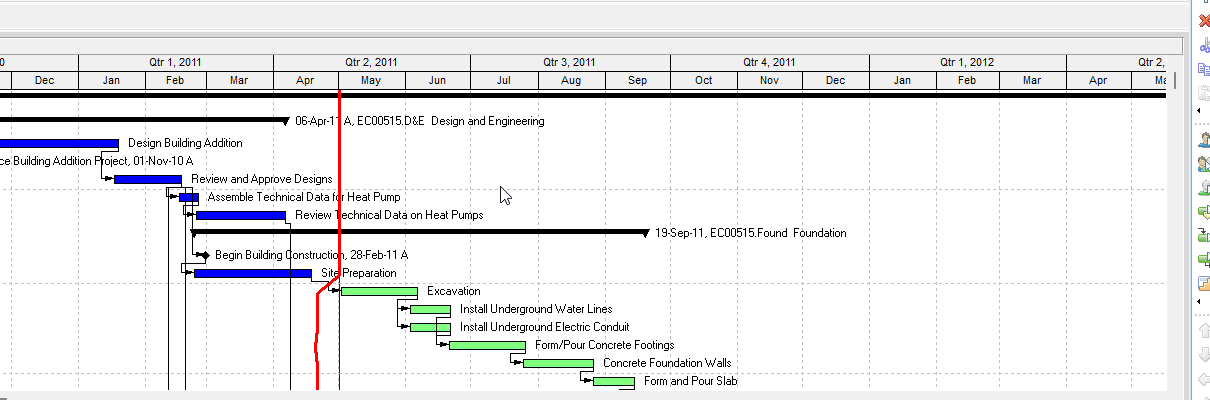
Change a Gantt Chart bar's filter is Oracle Change a Gantt Chart bar's filter (and Oracle Change a Gantt Chart bar's filter - under Gantt Chart). Project, Activities, then display the Gantt Chart. View, Bars. Select the bar. Double-click the Filter column. Mark the checkbox next to each filter you want to use. OK, or Apply to view without closing. The Gantt Chart sibling also prints Layout Options bar → Bars, and Modify to view a filter's settings before applying it (user-defined filters only). It is a how-to. It is not stored as its own table. It does not create, edit, or delete a relationship. It is not Apply a filter (row filter on the Activity Table), not Create a filter, not Combine filters, not Change a bar in the Gantt Chart, not Add a bar to the Gantt Chart, not Change a Gantt Chart bar's label / settings / style / timescale, not the Gantt bars object, not Filters and layouts as the view object, not TASKPRED, not EPPM Configuring Activity View Filters copied onto Professional, and not Microsoft Format Bar / bar styles filter.
Oracle does print how-tos titled Change a Gantt Chart bar's filter and Change a Gantt Chart bar's filter - under Gantt Chart. Oracle does not print a menu item named Change a Gantt Chart bar's filter. The menu those how-tos print is View, Bars. Do not invent View > Change a Gantt Chart bar's filter.
Oracle Change a Gantt Chart bar's filter (Professional, Filtering / client_help):
- "Choose Project, Activities, then display the Gantt Chart."
- "Choose View, Bars."
- "Select the Gantt Chart bar for which you want to change the filter. Double-click the Filter column."
- "Mark the checkbox next to each filter you want to use."
- "Click OK. To view your changes without closing this dialog box, click Apply."
That page fetched prints no Layout Options bar, no Modify, no Save, no Yes, no Select checkbox, and no View, Top Layout Options, Bars. Do not invent those on that page.
Oracle Change a Gantt Chart bar's filter - under Gantt Chart (Professional):
- "Choose Project, Activities, then display the Gantt Chart."
- "Choose View, Bars. You can also click the Layout Options bar and choose Bars."
- "Select the Gantt Chart bar for which you want to change the filter."
- "Double-click the Filter column."
- "Mark the checkbox next to each filter you want to use. To view a filter's settings before applying it to your Gantt Chart bar, click Modify. You can only view and modify user-defined filters."
- "Click OK. To view your changes without closing this dialog box, click Apply."
Do not collapse the two titles. The Gantt Chart sibling is the only one that prints Layout Options bar and Modify. Do not copy Modify onto the Filtering page.
Assign a filter to a Gantt Chart bar is a different older how-to. View, Top Layout Options, Bars; Select checkbox. Do not copy that menu or checkbox name onto these how-tos.
Change a bar in the Gantt Chart is a different how-to. Filter is one column among Display / Name / Timescale / style tabs. See Change a Bar in the Gantt Chart.
Apply a filter is a different how-to. That hides or highlights Activity Table rows. A bar filter only decides which activities get that bar drawn. See Filters and Layouts Are a View, Not the Schedule.
Gantt bars is a different object note. The Bars dialog as layout settings. See Gantt Bars Are Layout Bar Definitions, Not an XER Table.
Professional vs EPPM
Professional — Project, Activities; display the Gantt Chart; View, Bars (Gantt Chart sibling: or Layout Options bar → Bars); select the bar; double-click Filter; mark checkboxes; OK or Apply. Gantt Chart sibling only: Modify on user-defined filters. No Save on those pages.
EPPM web — Oracle Configuring Activity View Gantt Chart Bars configures Bar Type, Height, colors, labels. That page fetched does not print View, Bars, a Filter column, or Modify. Oracle Configuring Activity View Filters is the Activities-page row filter, not a bar-definition filter. Do not copy Professional Filter column / Modify onto EPPM. Do not copy EPPM Customize View / Bar Type onto Professional.
Primavera Cloud is a different product. Do not copy it here.
XER
The how-to is not an XER table. Oracle’s project XER map TOC has no BARFILTER / GANTTFILTER / FILTERBAR table. Do not invent a view %T. Changing a bar's filter does not write TASK. Layouts travel as .plf. A Viewer cannot reconstruct that the planner used this how-to.
Microsoft Project
Microsoft Project can limit which tasks a Gantt bar style applies to. Do not map that as P6 Change a Gantt Chart bar's filter. Do not claim MPXJ writes a real MPP.
Don't
- Invent View > Change a Gantt Chart bar's filter, or invent Save / Yes / Select checkbox / View, Top Layout Options, Bars on these how-tos.
- Copy Modify or Layout Options bar onto the Filtering page that does not print them.
- Collapse this onto Apply a filter (row filter), Change a bar, or the Gantt bars object.
- Copy EPPM Customize View / Bar Type / Activity View Filters onto Professional, or Professional Filter column onto EPPM.
- Invent a BARFILTER XER table, or reconstruct the how-to from TASK dates.
- Map MSP bar-style filters as this how-to.
- Claim MPXJ writes a real MPP.
Sources
- Oracle Change a Gantt Chart bar's filter [27 Aug 2026]
- Oracle Change a Gantt Chart bar's filter [27 Aug 2026]
- Oracle Change a Gantt Chart bar's filter - under Gantt… [27 Aug 2026]
- Oracle Configuring Activity View Gantt Chart Bars [27 Aug 2026]
- Oracle XER project map TOC [27 Aug 2026]
- Related [27 Aug 2026]