
Views, Filters & Print
Filters and Layouts Are a View, Not the Schedule
Filter/layout is a view; not in project XER; .plf is separate

What a planner means
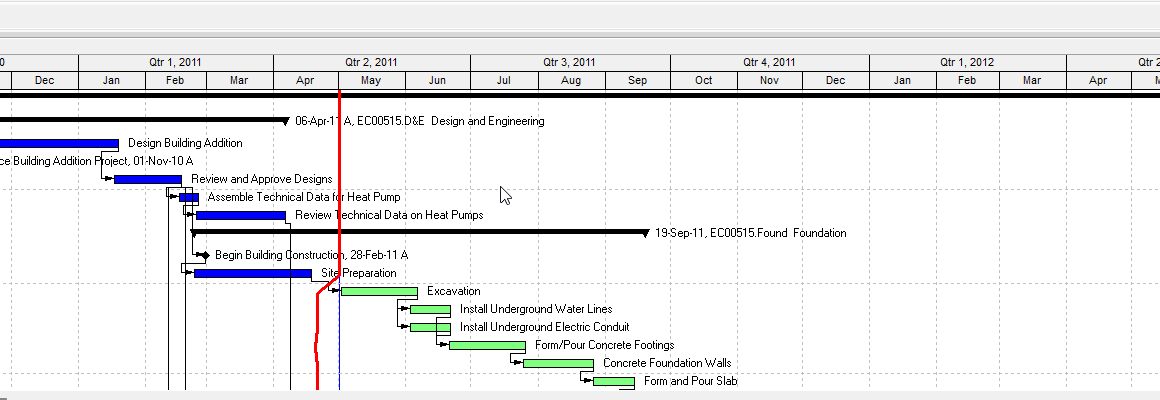
A filter hides or highlights rows. A layout (Professional) or activity view (EPPM) is the current screen: columns, grouping, sort, bars, and which filters are on. Neither is a CPM object. Changing them does not add or delete activities.
Oracle Professional: a filter is "a set of instructions that determines which activities or projects display." Four groups: Default, Global, Layout, and User-Defined. Filters applied to a layout are saved with that layout. You can Copy as Layout so a default or global filter travels with the open layout. Make Global promotes a layout filter.
When more than one filter is selected: All selected filters (must meet every filter) or Any selected filter (meet one). Apply can replace the rows shown, or only highlight matches and leave the rest visible.
EPPM: the Activities page uses views. Save the view if the next session should look the same. Access class (user / multiple user / global) plus your security profile decide what you can edit. Cost columns dash out if you cannot see costs. EPPM can export/import views to another P6 system.
A look-ahead is a DD-anchored filter, not a P6 object. See Look-Ahead 21-Day / 3-Week Window. Collapse To is grouping, not a filter. See P6 View > Collapse to (WBS Level). Print/PDF is the current layout. See P6 Schedule Print / PDF (Table + Gantt). Progress Spotlight is a curtain, not a filter. See Progress Spotlight (a View, Not a Field).
Layouts travel as .plf, not in the project XER
Oracle Professional: File > Export of a project writes XER (or XML). Layouts are a separate export: View > Layout > Open > Export → a .plf (Primavera Layout File). Import a .plf and set Available To: All Users, Another User, Current User, or Project (open projects only).
Oracle: when exporting P6 XML from Professional connected to EPPM, you can mark Export all project level layouts. That writes a .zip (XML + layouts). Primavera Cloud ignores those layouts on import. XER project export does not carry the current layout.
Visualizer uses .vlf. It can import a Professional Activity .plf as a Gantt. That is a third file, not XER.
Oracle's project XER data map does not list a FILTER or LAYOUT table. Do not invent FILTER, LAYOUT, or VIEWDATA rows in a Viewer parse of a project XER.
Microsoft Project
A view is a table + filter + group (and details). Microsoft: changing tables, filters, or groups does not add or delete stored data. Custom views/filters/tables live in the MPP (and can be copied with the Organizer to Global.mpt). MSPDI XML can list <Views> and filters. That is the opposite of P6: the schedule file often does carry the view.
Do not treat an XER as if it were an MPP that includes the planner's Gantt.
Don't
- Treat a filter as a timescale clip, as Collapse To, or as deleting activities.
- Treat the current layout as stored in a project XER.
- Invent FILTER / LAYOUT XER tables.
- Treat .plf, EPPM views, and Visualizer .vlf as interchangeable without conversion.
- Treat "highlight matches" as the same as "replace the list."
- Claim a Viewer reconstructed the planner's P6 layout from XER alone.