
Views, Filters & Print
Professional Reports Are a Stored Definition, Not a Layout
Professional Report Wizard/Editor is a stored definition (.ERP); not in project XER; not BI Publisher or a layout

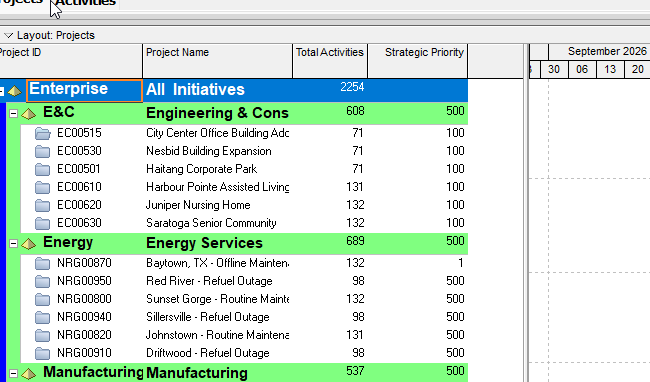
What a planner means
Tools > Reports, Reports (or Tools > Report Wizard) is a stored report definition in P6 Professional. Oracle: a large library of standard project management reports, plus two tools that "access and report information stored in the database": the Report Wizard and the Report Editor.
This is not a layout, not a filter, not Global Change, not Publication Services / Extended Schema, not EPPM BI Publisher, and not Unifier User-Defined Reports (UDRs). See Filters and Layouts Are a View, Not the Schedule, Global Change, Publication. Print/PDF of the current Gantt is the current layout. See P6 Schedule Print / PDF (Table + Gantt).
Oracle Report Wizard: select subject areas and fields; group, sort, and filter report data; actual-to-date or past-period actuals; column sizes; title; preview. Save, then edit later in the wizard or the Editor. If you edit a wizard report in the Editor and reopen it in the wizard, you lose the Editor changes. Copy first if you still want the original.
Oracle Report Editor: data sources, rows, and cells; fonts, images, headers/footers, comments; time distributions; graphics and HTML links. To start a blank Editor report you modify an existing Wizard report, then use New inside the Editor.
Report Scope: Global or Project. Global reports run for any project. Project reports run for the open project only. Privileges: Edit Global Reports / Edit Project Reports on a Professional database; on EPPM, privileges as defined in P6. Viewing does not require those edit privileges.
Run (Reports window): Print Preview, Directly to Printer, Email Attachment, HTML File, or ASCII Text File (.txt). Optional: compile a WP & Docs record (single open project; Add/Edit/Delete Project Work Products and Documents). Notes typed at run print with the output. Oracle describes Run as preview/print/save/email/document — not Schedule. See Documents and Work Products Are Files, Not Notebooks.
Share definitions with Import / Export. Oracle: only Report Definition Files (.ERP). A Wizard report imported from .ERP becomes a standard (non-wizard) report and cannot be modified in the Wizard. This is not a project XER and not a layout .plf. Oracle does not document a .wri report file.
Report groups organize the list. Report batches run several reports together.
XER
Oracle's project XER data map TOC lists no REPORT (or RPT / ERP) table. Do not invent one. The definition travels as .ERP, like a layout .plf or a Global Change PCF — not in a project XER.
A Viewer parse of a project XER cannot reconstruct the planner's Report Wizard/Editor definition.
Microsoft Project
Desktop Project has a Report tab: predefined dashboards / resources / costs / in-progress reports, New Report (Blank / Chart / Table / Comparison), and Custom. Microsoft: reports change as you work; no manual updates required. Visual Reports (Report > Visual Reports) build a local OLAP cube and open an Excel PivotChart or Visio PivotDiagram. Use the Organizer to copy a new report into the global template.
Those are not the P6 Report Wizard, not .ERP, and not BI Publisher. Do not map them as the same object. Do not claim MPXJ can write a real MPP.
Don't
- Treat Professional reports as a layout, a filter, Global Change, Publication Services, EPPM BI Publisher, or Unifier UDRs.
- Treat Run as Calculate schedule, Apply Actuals, Store Period, or as rewriting schedule dates.
- Treat a project XER as containing the report definition.
- Invent REPORT / RPT / ERP XER tables.
- Treat
.ERPas XER,.plf, PCF, or.wri. - Treat a Wizard-imported
.ERPas still editable in the Wizard (Oracle: it is not). - Map this object to MSP Report tab / Visual Reports and call them the same.
- Claim MPXJ writes a real MPP.
Sources
- Oracle Reporting features [27 Aug 2026]
- Oracle Report Wizard [27 Aug 2026]
- Oracle Create a new report with the Report Wizard [27 Aug 2026]
- Oracle Report Editor [27 Aug 2026]
- Oracle Reports window [27 Aug 2026]
- Oracle Preview a report [27 Aug 2026]
- Oracle Print a report [27 Aug 2026]
- Oracle Export a report [27 Aug 2026]
- Oracle Import a report [27 Aug 2026]
- Oracle About Reports [27 Aug 2026]
- Oracle About Reporting Software [27 Aug 2026]
- Oracle XER project map TOC [27 Aug 2026]
- Oracle XER project map PDF [27 Aug 2026]
- Microsoft Create a Project report [27 Aug 2026]
- Microsoft Pick the right report [27 Aug 2026]