
In Primavera P6
Attach Notebook Items to Bars in a Gantt Chart
Attach notebook items to bars in a Gantt Chart is Layout Options bar; Bars; Bar Labels; Add; notebook item

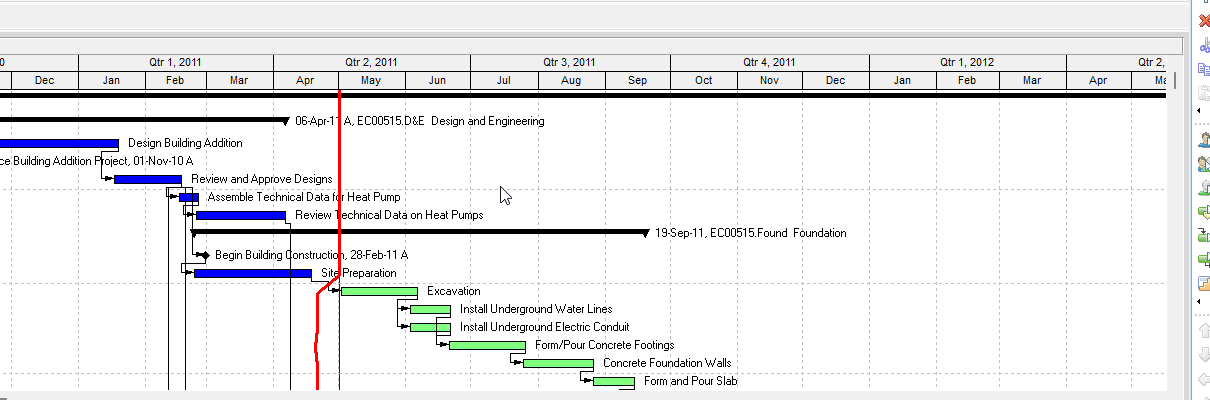
What a planner means
Attach notebook items to bars in a Gantt Chart is Oracle Attach notebook items to bars in a Gantt Chart. Layout Options bar → Bars. Bar Labels tab. Add a label and pick a position. In the Label field, select a notebook item. Click options to set the dimensions of the notebook item. Only one notebook item per bar. It is a how-to. It is not stored as its own table. It does not create, edit, or delete a relationship. It is not the Attach Notebook object note, not Add a text attachment, not Change a Gantt Chart bar's label, not notebooks as data, not TASKMEMO, not TASKPRED, not EPPM Label Field copied onto Professional, and not Microsoft Bar Text / Notes.
Oracle does print a how-to titled Attach notebook items to bars in a Gantt Chart. Oracle does not print a menu item named Attach notebook items to bars. The path that how-to prints is Layout Options bar → Bars. Do not invent View > Attach notebook items. Do not invent View, Bars on this how-to (that page fetched does not print View, Bars).
Oracle Attach notebook items to bars in a Gantt Chart (Professional):
- "Click the Layout Options bar and choose Bars."
- "Click the Bar Labels tab."
- "Click Add to add a label, then select a position for the label."
- "Click in the Label field and select a notebook item from the list of available bar labels."
- "Click options to set the dimensions of the notebook item."
- "Only one notebook item can be attached to each bar."
- "Notebook items can be printed with the layout or published with the layout to the project Web site."
Quote Oracle's Click options wording. That how-to fetched prints no OK, no Apply, no Save, no Yes, no View, Bars, and no Delete. Do not invent those on this how-to.
Attach Notebook is a different object note. The decoration. Leave Attach Notebook as the object.
Change a Gantt Chart bar's label is a different how-to. Any label field, not only a notebook item. That page prints OK or Apply. See Change a Gantt Chart Bar's Label.
Add a text attachment is a different how-to. Attachments, Text. See Add a Text Attachment to a Gantt Chart.
Notebooks is a different object. MEMOTYPE / TASKMEMO data. See Notebooks (MEMOTYPE / TASKMEMO / WBSMEMO) — Not Schedule Logic.
Professional vs EPPM
Professional — Layout Options bar → Bars; Bar Labels; Add; position; Label = notebook item; Click options for dimensions. One notebook item per bar. No OK / Apply on that page.
EPPM web — Oracle Configuring Activity View Gantt Chart Bars has Label Field and Color. That page fetched does not print Layout Options bar → Bars, Bar Labels, "select a notebook item," or "Only one notebook item can be attached to each bar." Do not copy Professional Attach notebook items onto EPPM. Do not copy EPPM Label Field onto this how-to.
Primavera Cloud is a different product. Do not copy it here.
XER
The how-to is not an XER table. MEMOTYPE / TASKMEMO / WBSMEMO are notebook data, not this bar-label decoration. Oracle’s project XER map TOC has no ATTACHNOTEBOOK / BARLABEL / LAYOUT table. Do not invent a view %T. Attaching a notebook item to a bar does not write TASK. Layouts travel as .plf. A Viewer cannot reconstruct that the planner used this how-to.
Microsoft Project
Microsoft Project has Notes and Bar Text. Do not map those as P6 Attach notebook items to bars in a Gantt Chart. Do not claim MPXJ writes a real MPP.
Don't
- Invent View > Attach notebook items, View, Bars, OK, Apply, Save, or Yes on this how-to.
- Collapse this onto the Attach Notebook object, Change a Gantt Chart bar's label, Add a text attachment, or notebook data.
- Copy EPPM Label Field onto Professional, or Professional notebook-on-bar onto EPPM.
- Treat TASKMEMO as this decoration.
- Invent an ATTACHNOTEBOOK XER table, or reconstruct the how-to from TASKMEMO.
- Map MSP Notes / Bar Text as this how-to.
- Claim MPXJ writes a real MPP.