
In Primavera P6
Default Size for Notebook Items
Default Size for Notebook Items is Bar Chart Options General-tab Width / Height for notebook items displayed on the Gantt; .plf not XER; not Attach…

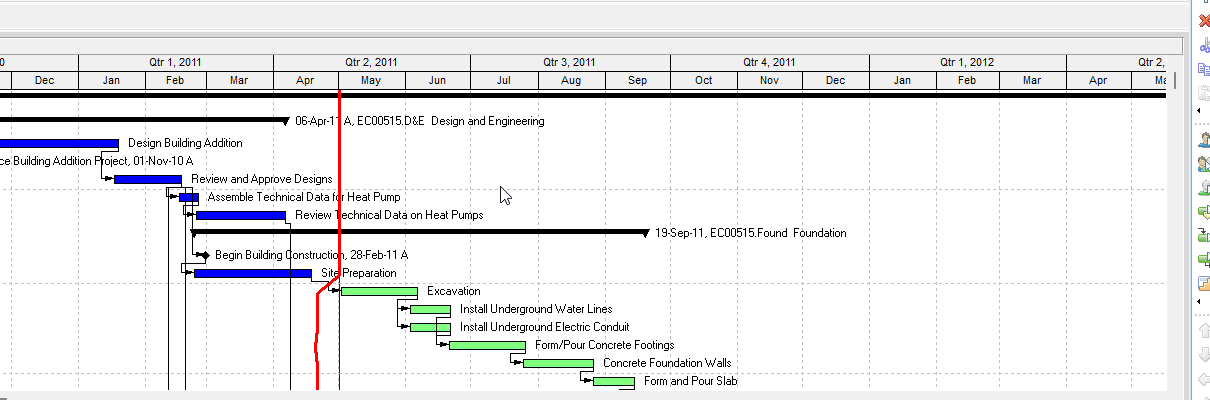
What a planner means
Default Size for Notebook Items (Oracle: Default Size for Notebook Items Width / Height on the General tab of Bar Chart Options) is a Gantt Chart decoration that sets the default display size of notebook items drawn on the Gantt. Oracle Width: "Type or select a new width for the notebook items you want to display in the Gantt Chart." Oracle Height: "Type or select a new height for the notebook items you want to display in the Gantt Chart." It is not Attach Notebook (Bars → Bar Labels pick of a notebook item — Attach Notebook), not notebook data (MEMOTYPE / TASKMEMO / WBSMEMO — Notebooks (MEMOTYPE / TASKMEMO / WBSMEMO) — Not Schedule Logic), not Limit Text Label Characters To (character cap for text labels on individual bars — Limit Text Label Characters), not a text attachment (View > Attachments → Text — Text Attachment), not Show Legend (Show Legend), not Show Relationships (Show Relationships), not Bar Labels Position / which field (Gantt Bars Are Layout Bar Definitions, Not an XER Table), and not Visualizer HTML-label max height/width. Changing Width / Height does not add or delete notebook topics and does not change stored notebook text.
Professional — Oracle View menu Barchart Options: "Opens the Bar Chart Options dialog box. Use the Bar Chart Options dialog box to customize your current Gantt Chart display." Enabled when the active window is Activities. Corresponding toolbar: Layout Toolbar. The Layout toolbar page fetched does not name a Barchart Options icon. Do not invent one.
Sibling how-tos open the same dialog (they document other General-tab checkboxes, not this field):
- Show or hide relationship lines: View, Barchart Options → Options → General tab. Click OK. "To view your changes without closing this dialog box, click Apply."
- Show or hide the Gantt Chart legend: View, Barchart Options → General tab. Same OK / Apply.
- Show or hide a Gantt Chart's legend: "Display the Gantt Chart, then choose View, Barchart Options." "Click Options." "Click the General tab."
Bars dialog Options: "Click to specify Gantt Chart background line and legend options." That button opens Bar Chart Options, not the Bar Labels tab.
Attach notebook step 5 is this control. Oracle Attach notebook items to bars: Layout Options bar → Bars → Bar Labels; Add; Position; "select a notebook item from the list of available bar labels." Then: "Click options to set the dimensions of the notebook item." That options click is Bars Options → General tab Default Size for Notebook Items. It is size, not the attach command. See Attach Notebook.
Oracle printed no dedicated how-to for Default Size for Notebook Items. Do not invent mark-then-type steps, a default Width or Height, a unit, or a numeric range.
Bar Chart Options "customize[s] your current Gantt Chart display." Tabs Oracle names: General, Collapsed Bars, Data Date (Activities and Tracking only), Sight Lines, Progress Line (Activities window only).
General tab fields Oracle names (quote Oracle):
- Show Relationships — "(Activity Layouts only) Mark to display relationship lines in the Gantt Chart." Different decoration. See Show Relationships.
- Show Legend — "Mark to display a bar legend in the Gantt Chart." Different decoration. See Show Legend.
- Limit Text Label Characters To — "Mark to select a number to specify the maximum amount of characters, including spaces, to display for text labels on individual bars." Different decoration. See Limit Text Label Characters.
- Horizontal Lines — Show Major Lines / Show Minor Lines Every / Rows. See Sight Lines Are Gantt Background Gridlines, Not an XER Table.
- Default Size for Notebook Items — Width — "Type or select a new width for the notebook items you want to display in the Gantt Chart." Height — "Type or select a new height for the notebook items you want to display in the Gantt Chart."
Oracle did not mark Default Size for Notebook Items "(Activity Layouts only)" (that qualifier is on Show Relationships). View menu enables Barchart Options for Activities.
Attach Notebook is a different control. Oracle Bar Labels tab: Position ("the position of the selected bar's label"); Label ("a database field for the selected bar's label"); Add / Delete. "Only one notebook item can be attached to each bar." "Notebook items can be printed with the layout or published with the layout to the project Web site." That picks which notebook item draws and where. This General-tab field is how large those notebook items display. See Attach Notebook.
Limit Text Label Characters To is a different control. Oracle printed that cap for "text labels on individual bars." Oracle did not print that the cap applies to a notebook item. Do not invent that. See Limit Text Label Characters.
The General tab / Bar Chart Options / View menu / Bars Options / Attach notebook pages fetched do not print a default Width or Height, a unit (pixels, inches, characters), a min/max, that zero auto-sizes, a per-bar override, a font or color picker for notebook items, or that this size applies to a text attachment, the on-screen legend, or an Edit Column title. Do not invent them.
Visualizer is a different app. Oracle Visualizer About Formatting Bars: "For HTML fields, such as Notebook topics, you can set the maximum height and width of the label." "If you set the maximum height and width to zero, the label will auto-size to fit all content." That is Visualizer Properties-palette label size, not this Professional General-tab Default Size for Notebook Items. Do not copy zero-equals-auto-size onto Professional. See Visualizer.
EPPM web — Configuring Activity View Gantt Chart Bars: Customize View → Bars tab → Configure; add Bar or Label; label fields Oracle names are Label Field and Color. That page also names a Height list for the bar. It does not print View, Barchart Options, the General tab, Default Size for Notebook Items, Width / Height "for the notebook items you want to display in the Gantt Chart," or "Click options to set the dimensions of the notebook item."
Configuring Activity View Gantt Chart (Customize View → Gantt tab) names Data date line, Relationship lines, Non-driving relationships, Sight Lines, Non-work time shading, and Timescale. It does not print Default Size for Notebook Items.
About Notebook Topics documents notebook data (activity / WBS / project / EPS). It does not print Width / Height.
Do not copy Professional View, Barchart Options / General tab / Default Size Width / Height onto EPPM. Do not copy EPPM bar Height or Label Field / Color onto Professional as if Oracle printed notebook-item dimensions there.
XER
Default Size for Notebook Items is a Gantt / layout setting. Oracle's project XER data map TOC lists no DEFAULTSIZE, NOTEBOOKSIZE, GANTT, LAYOUT, or VIEW table. Do not invent one. Layouts travel as .plf, not in a project XER. See Filters and Layouts Are a View, Not the Schedule.
MEMOTYPE / TASKMEMO / WBSMEMO are notebook data (topic dictionary and body). They are not this Width / Height. Oracle did not name an XER column for Default Size, Width, or Height.
A Viewer parse of one XER cannot reconstruct the planner's notebook-item Width or Height.
Microsoft Project
Desktop Project has a single Notes field (task / resource / assignment comments; Task Information → Notes). Microsoft: "Notes can be formatted, and have virtually no size limit." That is content size, not a Gantt display box.
It also has Bar Styles Text (Left, Right, Top, Bottom, Inside — "the field that contains the data you want to display on the Gantt bar," or a custom Text1–Text3). Format a single bar: Format Bar → Bar Text. Bar height (Gantt Chart Format → Layout → Bar height) is the height of Gantt bars, not a notebook-item Width / Height.
They are not the same object. Project has no notebook-topic dictionary and no Default Size for Notebook Items Width / Height. The pages fetched do not print a Width / Height for notebook items displayed on the Gantt. Do not map this P6 decoration to MSP Notes, Bar Styles Text, or Bar height and call them the same command. Do not claim MPXJ can write a real MPP.
Don't
- Treat Default Size for Notebook Items as Attach Notebook (which item / Position), as
MEMOTYPE/TASKMEMO/WBSMEMOdata, as Limit Text Label Characters To, as View > Attachments → Text, as Show Legend, as Show Relationships, as Bar Labels field pick, or as Visualizer HTML-label max height/width. - Invent a DEFAULTSIZE / NOTEBOOKSIZE / GANTT / LAYOUT / VIEW XER table, or treat any TASKMEMO column as this Width / Height.
- Invent a default Width or Height, a unit, a min/max, that zero auto-sizes (Visualizer only), a per-bar override, or that this size applies to a text attachment, the on-screen legend, or an Edit Column title. Oracle printed "width" / "height" "for the notebook items you want to display in the Gantt Chart," not those.
- Copy Professional View, Barchart Options / General tab / Default Size Width / Height onto EPPM as if Oracle printed those menus there.
- Treat EPPM bar Height or Label Field / Color as this Professional notebook-item size.
- Copy Visualizer "maximum height and width" / zero-equals-auto-size onto Professional Bar Chart Options.
- Map this object to MSP Notes, Bar Styles Text, or Bar height and call them the same.
- Claim MPXJ writes a real MPP.
- Claim a Viewer reconstructed the planner's Default Size Width / Height from an XER.
Sources
- Oracle General tab - Bar Chart Options [27 Aug 2026]
- Oracle Bar Chart Options dialog [27 Aug 2026]
- Oracle View Menu [27 Aug 2026]
- Oracle Layout toolbar [27 Aug 2026]
- Oracle Bars dialog box [27 Aug 2026]
- Oracle Bar Labels tab [27 Aug 2026]
- Oracle Attach notebook items to bars [27 Aug 2026]
- Oracle Attach notebook items to bars [27 Aug 2026]
- Oracle Show or hide relationship lines in the Gantt… [27 Aug 2026]
- Oracle Show or hide the Gantt Chart legend [27 Aug 2026]
- Oracle About Formatting Bars [27 Aug 2026]
- Oracle Configuring Activity View Gantt Chart Bars [27 Aug 2026]
- Oracle Configuring Activity View Gantt Chart [27 Aug 2026]
- Oracle About Notebook Topics [27 Aug 2026]
- Oracle XER MEMOTYPE [27 Aug 2026]
- Oracle XER TASKMEMO [27 Aug 2026]
- Oracle XER project map TOC [27 Aug 2026]
- Oracle Exporting and Importing Layouts [27 Aug 2026]
- Microsoft Notes fields [27 Aug 2026]
- Microsoft Format the bar chart of a Gantt Chart view [27 Aug 2026]